Buy any 1 product and get 1 absolutely free — this offer applies to all Website Templates, UI Kits, and Complete Scripts.
Buy Now! Article Information Table Of Contents
Most ride-sharing projects don't fail because someone picked the wrong framework. They fail because the team treated the framework choice as the hard decision, when the hard decisions were sitting downstream of it. It's in the matching logic, the back-end architecture, and a dozen operational details that never make it into the pitch deck.
Founders scoping their MVP, CTOs choosing between a Flutter build and a native one, and product leads trying to figure out what "real-time" actually costs to build properly.
We will explain what Flutter earns its reputation and where it faces limitations. Also, you will know what makes a ride-sharing app successful and what makes it only a demo. The Flutter codebase template is included to get started.
Usually, ride-hailing is a two-sided marketplace, and it has a specific failure mode. If either side riders or drivers shows up and finds the other side missing, the worst case happens: they leave and don't come back. A city with too few drivers online produces long wait times, which drives riders away, which makes the driver shortage worse. You don't get to fix this slowly.
This is why so many ride-sharing teams end up prioritizing "ship on both platforms simultaneously." They skip "build the most technically elegant native app." Don’t think that a rider app that only exists on Android for the first six months isn't a phased rollout. It's half a marketplace. Flutter's appeal starts here: it removes the excuse to launch lopsided.
Ask someone to describe a ride-sharing app, and they'll describe the rider experience: request a ride, watch a car icon move toward them. That's one-third of the actual system.
The rider app handles requesting, tracking, paying, and rating.
The driver app handles receiving requests, accepting or declining under time pressure, and streaming location continuously. This lasts for hours at a stretch, which is a very different engineering problem. Rider never glances at their phone for ninety seconds.
The back-end is the part nobody demos. It matches supply to demand, decides what happens when two drivers try to accept the same trip in the same instant. There’s a requirement to keep a single, consistent version of "what's happening right now" across potentially thousands of concurrent trips.
Flutter or any frontend framework only ever touches the first two. The back-end is where most of the actual engineering risk lives, and it's framework-agnostic. Keep that in mind every time a vendor pitches you a stack decision as if it solves the whole problem faced by the users.
A codebase that reflects this split usually keeps the rider and driver experiences as separate feature modules from day one. This prevents the driver flow from overriding the rider app later:

Two things to notice: matching_service.dart and realtime_service.dart live in core, not inside either feature — because both the rider and driver modules need to agree on the same trip state. If each side has its own copy of that logic, they will drift.
When your rider app and driver app both need to include a new feature, let's say, a redesigned trip-tracking screen. Here, a Flutter team writes it once. They don’t drift between an iOS version that shipped last Tuesday and an Android version still waiting on a separate team's sprint. For a marketplace where both sides need to stay in lockstep, that consistency is worth more than it sounds.
In the Flutter ecosystem, live maps, GPD streaming, geocoding, and route drawing are not primary requirements. They’re some of the most heavily used capabilities in it, because so many logistics and delivery apps have already been built on the same foundation. You're not asking the framework to do something unique. But you're using a well-worn path. A driver's location stream, stripped down to its essentials, looks like this:

That distanceFilter line is doing more work than it looks like. It’s the first line of defense against the GPS jitter mentioned later in this piece, and it also directly reduces battery and bandwidth use by not firing an update every time the phone's GPS wobbles a meter.
In real-time features like driver-matching screen or a fare breakdown become easier with Flutter’s Hot reload. The best part is this interface can be redesigned three or four times in the first two months based on real user behavior. It’s not because the first version was wrong. Nobody knows the right version until people are using it.
Being useful here means not overselling the framework.
iOS suspends background processes to save battery. Here, a driver app needs to keep reporting location even when the phone is locked in a cupholder. Getting this reliable takes real native configuration work, and it is not a checkbox in a Flutter package.
Writing native Swift or Kotlin code is required for certain payment SDKs, carrier-level push notification systems, and a handful of deep OS-level features. It has to be bridging into Dart. This keeps away at the "one codebase" pitch in practice, even if it rarely derails a project outright.
Flutter draws its own UI rather than using native platform widgets. Whenever you need a pixel-consistent design, it can be done. The question is, you have to focus on separate designs for iOS and Android. Otherwise, the app can feel slightly foreign on one platform or the other.
None of this is disqualifying. It's a budget line, not a blocker.
These feature sets are required in the ride booking app:
The rider app needs a live map of nearby drivers, upfront fare estimation, and real-time trip tracking. They also require a genuinely reliable ETA, in-app payment, and a ratings/support flow that doesn't require leaving the app to file a complaint. None of this is optional, and none of it is where teams should be trying to innovate on their first release.
The driver app needs fast, clear ride-request prompts with an honest acceptance window, continuous location broadcasting that doesn't wreck the phone's battery in three hours, in-app navigation handoff, and visibility into earnings without a support ticket.
An admin console for fraud monitoring and driver verification. Rules for dynamic pricing. A dispute-resolution workflow for when a rider and driver disagree about what happened. Analytics on completion rates and cancellations, because a rising cancellation rate is usually the earliest warning sign of a supply problem before it shows up anywhere else. Teams that treat this as "phase two" tooling often build it under fire, mid-crisis, instead of before they need it.
Flutter draws the screen. Something else has to keep every screen agreeing on reality: a driver's position updating smoothly for the rider watching it, and a clean resolution when two drivers accept the same trip within the same second.
Teams generally land on one of three approaches.
A managed real-time database gets an MVP moving fast, with the tradeoff that cost and performance need active monitoring as trip volume climbs.
A custom WebSocket layer takes more upfront engineering but gives you control over latency and cost at scale. This is the option most teams graduate into once volume justifies it.
A hybrid setup uses managed services for the low-frequency stuff (auth, profiles, history) and a dedicated real-time layer just for location and matching, which is often the most pragmatic middle ground.
There's no universal right answer. The right one depends on:
How many concurrent trips you expect in year one
How much back-end engineering capacity you have
How much control you want over your own real-time infrastructure
How much you're comfortable outsourcing to a managed service
Ultimately, whichever back-end you choose, the pattern on the Flutter side is the same. First write the request, then listen for state changes instead of polling for them.

The nearby-driver query behind requestRide is the piece most tutorials wave their hands at. A naive version just filters by raw distance:

This works fine at a few hundred drivers. Past that, scanning every driver on every request stops being viable. That means teams move to geohash-indexed queries (Firestore's geoflutterfire2, or a PostGIS/Redis geo-index on a custom back-end). So, the query only touches drivers in nearby grid cells instead of the entire fleet.
A five-minute walkthrough hides almost everything that decides whether a ride-sharing app survives launch day.
For example, when using the app near tall buildings, the Raw GPS data faces issues constantly. Here, it needs smoothing before a rider ever sees it. Otherwise, the driver's icon appears to teleport.
Without proper locking on the back-end, two drivers really can both "accept" the same request in the same instant. Someone has to decide, in code, who wins and how the loser finds out gracefully. A plain update() call won't catch this, because two devices can both read status: 'searching' before either one writes back. The fix is to make acceptance an atomic transaction, not a read-then-write:

If the transaction returns false, that driver's app shows "This ride was just taken" instead of a confusing spinner including a small detail, but it's the difference between a driver trusting the app and a driver assuming it's broken.
Drivers lose connectivity in such areas as tunnels and dead zones constantly. The app has to reconnect without losing trip state. The continuous high-accuracy location tracking is one of the fastest ways to drain a driver's mobile battery. This matters because a driver whose phone dies mid-shift is a driver who logs off early. It's a point where a marketplace that loses drivers early loses riders next.
Everything above is the architecture you need to plan for ride-sharing iOS and Android app development. Starting to build the app from a blank Flutter project or from an existing codebase is a different decision. It’s usually the one that determines your actual timeline more than any single technical choice.
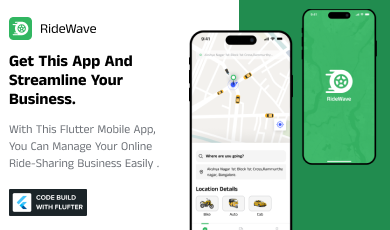
For teams that don't need a fully custom real-time engine on day one. An MVP, a regional launch, or a proof of concept for investors starting from a pre-built Flutter ride-sharing script can cut weeks off the front end of the project. RideWave is one example worth knowing about.
It’s a complete Flutter ride-sharing app script covering the rider-side essentials this piece walked through:
Real-time booking
Pickup/drop-off selection
Live driver and ETA tracking
In-app payment
Ratings
Profile
Ride-history management
The template is shipped with sample data and documentation rather than a bare UI shell.
It's not a substitute for the back-end decisions covered earlier in this piece, including matching logic and locking. Also, scaling your real-time layer still needs to be architected around your own trip volume and business rules. What it does buy you is a working, documented starting point for the rider-facing app itself, which is often the slowest part to build well from scratch. At $60, it's a reasonable way to validate a ride-sharing concept or brief a dev team with something concrete to extend, rather than starting the estimate conversation from a blank screen.
Flutter is the choice when needed consistent rider and driver experience app for iOS and Android. Reconsider it if your product depends heavily on deep, constantly-changing native integrations that would need custom development on an ongoing basis. If you already have strong native iOS and Android teams with no reason to retrain.
Either way, don't let the framework decision absorb all the attention. The back-end that matches riders to drivers, resolves conflicts, and stays honest under load is what actually decides whether this becomes a business or stays a demo. Flutter can get your interface right. Everything that makes a ride-sharing platform trustworthy happens one layer below it.
Yes. Most regions require a transportation network company (TNC) permit to operate the service. Along with it, driver background-check compliance and local municipal registration are required before the launch.
The apps are optimized with pre-written code to verify a driving license, criminal record, vehicle registration, and insurance through third-party verification APIs. Once everything is good to go, the driver account is activated.
Native apps have a slight edge in raw performance. Using Flutter's compiled ARM code makes the difference negligible for most ride-sharing use cases.
It needs commercial auto liability insurance coverage. This policy covers the driver, passenger, and third parties during active trips.
A scoped MVP for a ride-sharing business using a pre-built codebase typically launches in 6–10 weeks. A fully custom build often takes 4-6 months.
 Tags
Tags  Similar Blogs
Picking the perfect style for your website is a major decision, especially in the vast scope of web...
In web development, choosing the right CSS framework can make a significant difference in the succes...

Flutter is Google's open-source framework, which has revolutionized mobile app development. Its abil...

User Interface (UI) design is the backbone of a mobile application. UI design for mobile apps can be...
Mobile apps have become an important part of our lives in this digital world. According to the most...

Building a professional website for your business can be expensive and time-consuming, which can’t b...
Related Products 
Not sure which template or UI kit fits your project? Reach out for expert advice.
 100% Satisfaction Guaranteed
  Shop with Confidence!