Buy any 1 product and get 1 absolutely free — this offer applies to all Website Templates, UI Kits, and Complete Scripts.
Buy Now! Article Information
Search "childcare website template," and you'll land on the same article eight different times. Seven or eight thumbnails, a paragraph of adjectives under each one describing "vibrant," "playful," "professional," and a Buy Now button. None of it tells you whether the thing actually works for your business, or just looks good in a screenshot.
Here's what those roundups skip past: a daycare, a solo babysitting service, and an infant nursery are not the same business, and they don't need the same website. A template built for a three-classroom preschool is overkill for someone who watches four kids after school. A template built for quick babysitting bookings won't have anywhere to put your curriculum, your teacher bios, or your licensing info. Most gallery posts never mention this. They just show you pictures.
So instead of another gallery, this is the version with actual reasoning in it, including two real templates worth buying, priced and compared honestly, plus the stuff most "top 10" posts leave out entirely.
Before you look at a single template, be honest about which of these you are. It changes everything downstream.
If you're a solo sitter or a small nanny agency, your visitors want one thing fast: can I book this person, and can I trust them? So, include the following that can understand rates and availability, a background-check mention, and a short request form. That's basically it. A six-page daycare site with a blog and an events calendar is wasted effort for you.
If you're running a single daycare, preschool, or nursery, you need more things. It includes enrollment forms, a rundown of your programs, and staff you can introduce by name. This is a way for whoever runs your front desk to swap out a photo or update a class schedule without emailing a developer every time.
Multi-location operations have a different problem again. You need something that can hold several locations without turning into five disconnected websites, and ideally something that plays nicely with a CRM or scheduling tool down the line.
And if you're a developer building this for a client, none of the above really matters to you: what you care about is clean code and documentation. Because that's what determines how many hours this eats out of your week.
Keep whichever one you are in mind. It's going to matter in a second.
Go read a handful of these roundup articles back to back, and a pattern shows up. Five things, every time.
Nobody lists a price. You click through the Buy Now button and hope. That's not really a comparison at that point. It’s a catalog with no numbers on anything.
Everything gets flattened into "kids" or "daycare," as if a babysitting website template and a nursery website template solve the same problem. They don't. A nursery serving infants needs the following: feeding schedules, nap routines, staff-to-infant ratios, and clear pickup with drop-off details. None of which show up on a generic children’s theme. A babysitting site needs almost none of that and instead needs speed: is this sitter free tonight, and how do I reach them?
Parents checking out a childcare business online are, whether they'd phrase it this way or not, running a background check on you. Licensing numbers, staff credentials, safety policy; that's what actually moves someone from browsing to calling. Most template write-ups spend their word count on slider animations instead.
Nobody mentions parent communication tools. Daily activity logs, photo updates, attendance alerts- this is where a lot of childcare businesses are competing now, not just on the marketing site. A template that at least leaves visual room for a future parent-login area saves you a redesign later. Most listings don't say either way.
And almost nothing gets said about what happens after checkout. Hosting, security patches, the hours it'll take someone to actually customize this thing- that's real money, and it's invisible on the product page.
Here's the direct comparison, using what's actually listed on each product page rather than the marketing copy around it.
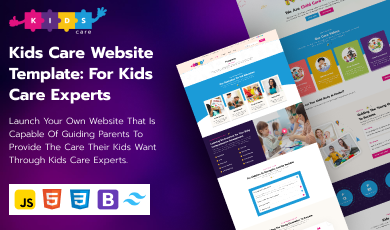
Aspect | Kids Care - Bootstrap/Tailwind | Kids & Preschool - React JS |
Price | $55.00 | $22.00 |
Built with | HTML5, Bootstrap, Tailwind CSS, JS | React JS |
Rating | 5.0 from one review | No reviews yet |
In the download | HTML pages, CSS, JS, Tailwind CSS, product description, technical description, read-me | Images, JS, CSS |
Booking/enrollment | Package-based class selection built in | Not itemized on the listing |
Sections included | Events, kids' activities, blog, testimonials, facilities, search bar | Marketed toward preschool, daycare, nursery, kids' learning centers and sections not itemized |
Fits best | Daycare centers, childcare consultants, schools, nanny agencies | Developers already working in React on education projects |
Setup | Static files, no build step | Needs a React build pipeline |
If you run a single daycare or nursery and don't have a developer on staff, this is the one that gets you live faster. It costs more up front, but it comes with actual documentation, an enrollment flow that's already built for childcare specifically, and nothing that needs a build process. A freelancer can hand this off, and your staff can update it themselves afterward.
If your team already works in React, maybe you've got a booking back-end or a parent dashboard in the same stack; this is the cheaper starting point with more room to grow architecturally. Just budget extra hours, since it doesn't ship with the documentation or the pre-built enrollment flow the other one does.
In these templates, a parent portal doesn’t feature. If either of those is on your roadmap, plan on adding it yourself rather than expecting it out of the box. The Kids Care template does at least give you testimonials and a facilities page, which covers part of the trust gap even without formal accreditation display.
For licensing terms, the template is only for commercial use case, not resale.
If you're the solo babysitter from earlier, honestly, both of these are probably more than you need. Look for something one-page, with a booking form and a couple of testimonials, before spending money on a full multi-page daycare build.
$22 sounds like the obvious win next to $55, until you actually build the site. Do this math before you buy anything:
Template price, plus hours to customize times whatever your developer charges per hour, plus whatever hosting or build tooling the stack requires.
A static Bootstrap or Tailwind template can usually be customized in a handful of hours and hosted almost anywhere for a few dollars a month. A React template needs a build pipeline and hosting that supports it, Netlify or Vercel, typically. Usually more development time to restyle, even though the license itself costs less. If you're not already paying a developer to maintain something in React, the $22 option can quietly end up the more expensive one.
A childcare site with no enrollment or booking mechanism isn't a business tool; it's a brochure. No documentation in the download means more support tickets and slower setup, full stop.
Then it comes to demo. If the demo only loads properly on desktop, don't trust it; test on an actual phone before you pay.
No content section for safety, licensing, or staff credentials is a real problem given how much weight parents put on that.
And zero reviews paired with no live preview link isn't automatically disqualifying, but it's worth a second look before you commit money to it.
Figure out which of the four business types from earlier you actually are. Run whatever template you're eyeing through the gaps above, including pricing, business-type fit, trust content, communication features, and ongoing cost.
Follow these steps for buying the template:
Do the real math on total cost, not just the number on the checkout page.
Pick Bootstrap/Tailwind if you want to launch fast without a developer on retainer.
Pick React if you're already building there and value the flexibility more than a lower setup cost.
And walk away from anything missing a real enrollment flow or mobile-tested demo, no matter how good it looks in the screenshot.
The best childcare website template, useful for babysitting or nursery, was never going to be the prettiest one in a gallery post. It's the one that actually matches what your business does day to day, and gives a parent scrolling at 11 PM a clear reason to stop scrolling and reach out.
The range starts from around $20 to $60. The website template comes with a single license, developer-ready HTML, Bootstrap, and React.
Yes. Nursery templates present infant care details like feeding schedules and staff ratios. In Daycare templates, curriculum and enrollment are the focus.
Static HTML, Bootstrap, or Tailwind templates need minimal coding for updates. React-based templates typically require a developer for setup and customization.
Most modern templates are responsive by default. Always test the live demo on an actual smartphone before purchasing, not just a resized browser.
Availability display, hourly rates, and a quick booking or contact form are common in a template. A live website with trust signals like background-check disclosures or client testimonials looks sufficient.
 Similar Blogs
Picking the perfect style for your website is a major decision, especially in the vast scope of web...
Designing and developing a website may look tough and time-consuming. It is actually tough when it c...
Developing a website has now been important to reach a wider audience. Performing web development fr...
When the world is going online, having a responsive website that works flawlessly across all devices...
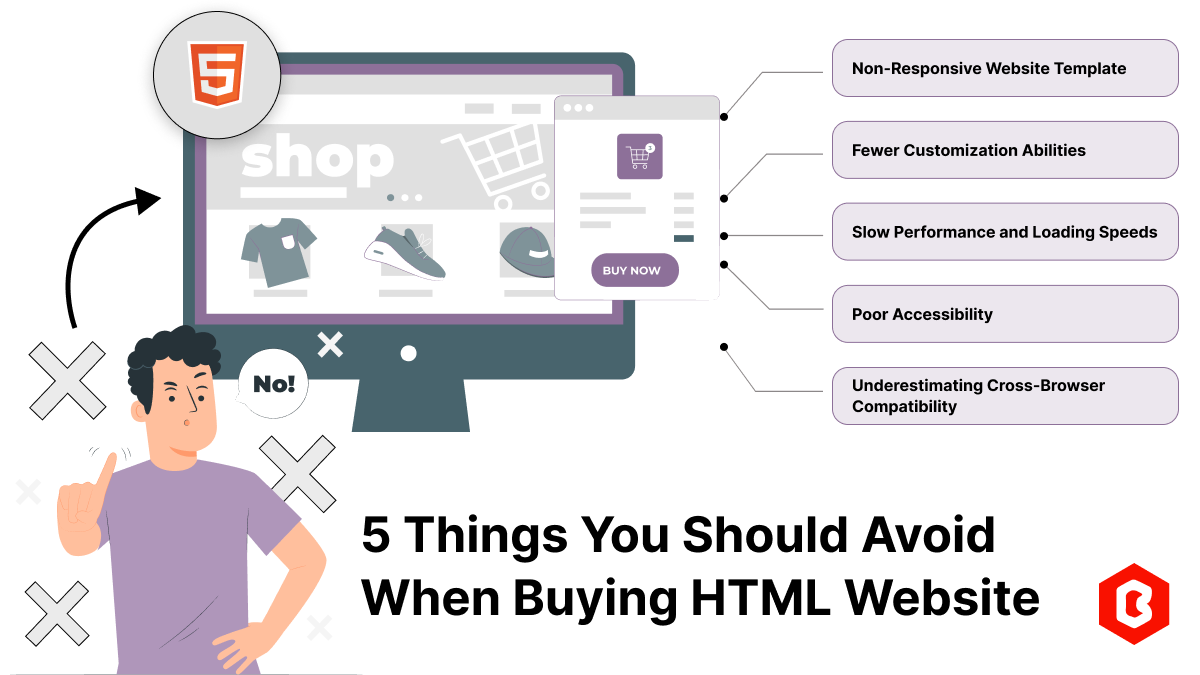
According to stats published on Forbes, 57% of internet users avoid recommending a poorly designed w...

Having a website has become necessary for all sizes of businesses in this digital world. Whether you...
Related Products 
Not sure which template or UI kit fits your project? Reach out for expert advice.
 100% Satisfaction Guaranteed
  Shop with Confidence!
 Tags
Tags