Buy any 1 product and get 1 absolutely free — this offer applies to all Website Templates, UI Kits, and Complete Scripts.
Buy Now! Article Information
A casino website needs good graphics. No doubt. But you need game screens and clear menus. Players should also find their accounts and wallets easily. Confusing layouts worsen the user experience.
Designing every screen from scratch takes time. A casino Figma UI kit gives you a head start. You can work with pre-designed screens and change them for your brand. This also gives developers a clear design to follow.
Let's look at three casino UI kits for different projects. Each one offers a different way to plan your casino game UI design.
Casino websites often have many screens. A game lobby looks different from a wallet page. Player profiles and transaction screens need their own layouts too. Designing each one separately can slow down the project.
A casino UI kit gives you ready-made design elements. You can reuse buttons and cards across different screens. This helps keep the whole website consistent.
Here is how a UI kit can help:
Save design time
Keep layouts consistent
Make changes easily
Plan user journeys
Help developers
A UI kit does not build the full website for you. It provides the design foundation. Coding and game functions still need development.
Building a casino platform using a Figma UI kit makes the job fast and easy. But choosing one can be a challenge. We are listing our top 3 picks below. You can pick any one based on your platform needs.
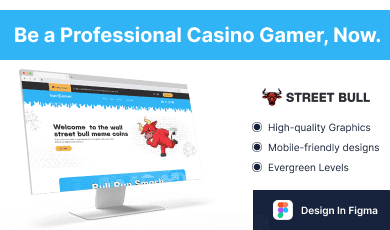
Street Bull is designed for online casino and betting projects. It includes layouts for different casino games. You can use it to plan a casino website with several game types.
The design covers games such as Blackjack and Roulette. It also includes Baccarat and other poker games. Sports betting sections are part of the design as well.
Street Bull goes beyond game screens. It includes player dashboards and transaction lists. There are also wallet sections. They are made for deposits and withdrawals. These layouts let you build the main parts of a casino platform.
Key features:
Multiple casino game layouts
Player dashboard and profile screens
Sidebar navigation
Wallet and transaction sections
Editable Figma design elements
Best for: Casino startups and casino or betting website designers.
This UI kit is editable in Figma. You can change colors and other design elements.
Live casino platforms need screens for more than game selection. Players may need to browse tables and view dealer games. They also need access to their account and wallet.
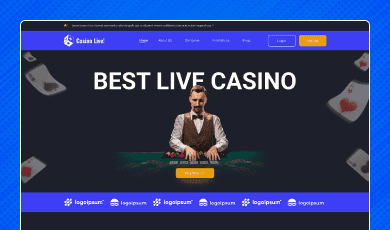
Casino Live is built around these needs. It includes more than 15 pages for an online casino platform. The design covers game lobbies and live game screens. It also includes user dashboards and account pages.
The wallet sections cover deposits and withdrawals. Players can also view transaction history. This gives designers a starting point for the main parts of a live casino website.
Key features:
Live casino game lobby
Dealer and gameplay screens
Player profile and dashboard
Deposit and withdrawal pages
Transaction history
Reusable Figma components
Best for: Live casino platforms and dealer-based game designers.
This UI kit uses Figma. It supports design changes. You can adjust the design to suit your platform. It also helps designers and developers work in collaboration.
A card game app needs a different layout from a full casino website. The focus is on the cards and game controls. Players should understand what to do without searching through menus.
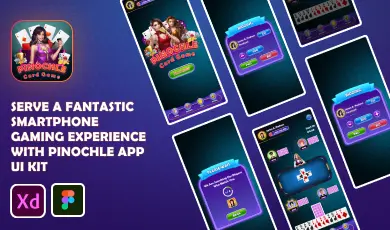
Pinochle is designed for card game apps. Its screens cover gameplay and player profiles. It also includes bidding and scorecard layouts.
The kit uses clear game elements and simple controls. It can help designers plan the main screens of a card game. You can also change the design to match your game's look.
Key features:
Card game screens
Bidding and scorecard layouts
Player profile screens
Game controls and interactive elements
Organized Figma layers
Customizable design elements
Best for: Card game developers and teams working on casino card game app design.
Pinochle is a useful starting point for a focused card game project. It can speed up your app design process. Your team can then focus on the game's own rules and features.
The right choice depends on your project. A live casino needs different screens from a card game app. A broad casino platform may need several game categories.
UI Kit | Best use |
Street Bull | Casino websites with multiple game types |
Casino Live | Live casino and dealer-based games |
Pinochle | Card game apps and gameplay screens |
Choose Street Bull if you need a range of casino game layouts. Casino Live is worth considering for live dealer platforms. Pinochle fits projects built around card games.
Think about the screens your users will need. A larger kit is not always the better choice. Pick one that matches the project instead.
Before selecting a kit, make a list of the screens you need. This helps you compare designs based on real project needs.
Check these points before making a decision:
Available game screens
Navigation
Account pages
Customization
Figma structure
Screen sizes
Developer handoff
Do not judge a kit by its homepage alone. Open the other screens too. The dashboard and wallet pages matter just as much.
A casino UI builder workflow can make the early design stage easier. Instead of planning every screen from the beginning, your team can start with ready-made elements.
First, choose a UI kit that fits your project. Then update the colors and typography. Replace sample content with your own game details. Arrange the screens around the way users will move through the platform.
Once the design is ready, share it with developers. They can use the Figma screens as a guide. This reduces guesswork during development.
Keep in mind that a Figma UI kit is not a working casino system. Login features and payment flows need coding. Game logic and account security require their own development work. Make sure these parts are planned before launch.
A casino UI kit is a collection of ready-made design screens and elements. It can include game lobbies and player dashboards. Designers can edit these elements to suit their project.
Yes. These kits are designed for Figma. You can change many visual elements to match your brand. Check each product page for its included files and features.
Pinochle is designed for card game apps. It includes gameplay and bidding screens. It also has layouts for profiles and scorecards.
No. A UI kit provides the design. Developers need to build the actual game functions. Payments and account systems also need suitable development.
Some kits are designed for mobile screens. Others focus more on website layouts. Check the supported screen sizes before choosing a kit.
 Similar Blogs
Launching an online gaming platform consists of many steps, and not just placing games on the websit...

Someone lands on a casino website with money already on their mind. Not "will I win," but "is this t...
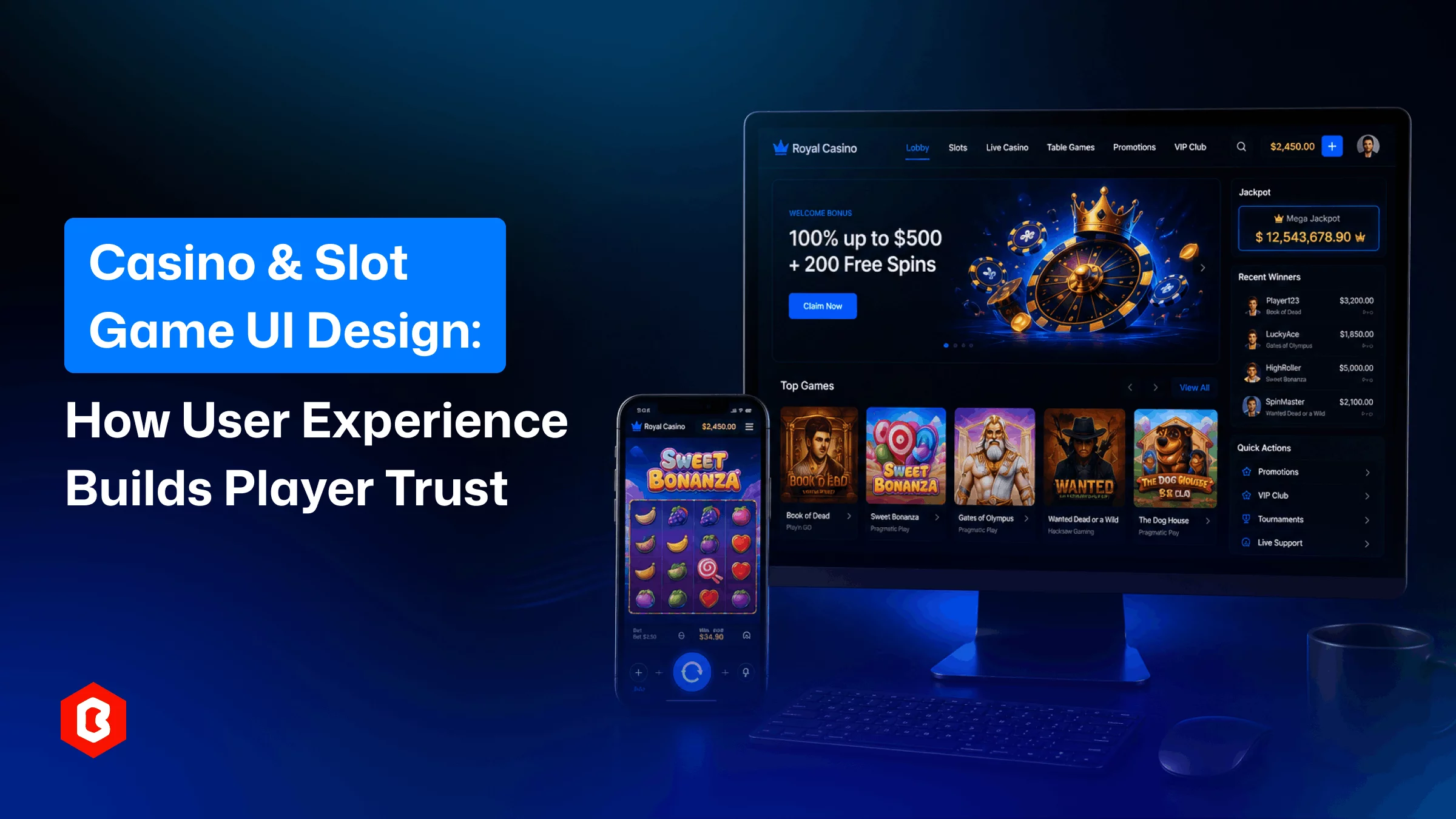
Open a real-money casino app for the first time, and you decide whether to trust it almost instantly...

A food delivery website can lose customers before they place an order. Maybe the menu is hard to use...

A crypto trading website needs more than a good-looking homepage. Users want to check prices and vie...
A casino website needs good graphics. No doubt. But you need game screens and clear menus. Players s...
Related Products 
Not sure which template or UI kit fits your project? Reach out for expert advice.
 100% Satisfaction Guaranteed
  Shop with Confidence!
 Tags
Tags