Buy any 1 product and get 1 absolutely free — this offer applies to all Website Templates, UI Kits, and Complete Scripts.
Buy Now! Article Information Table Of Contents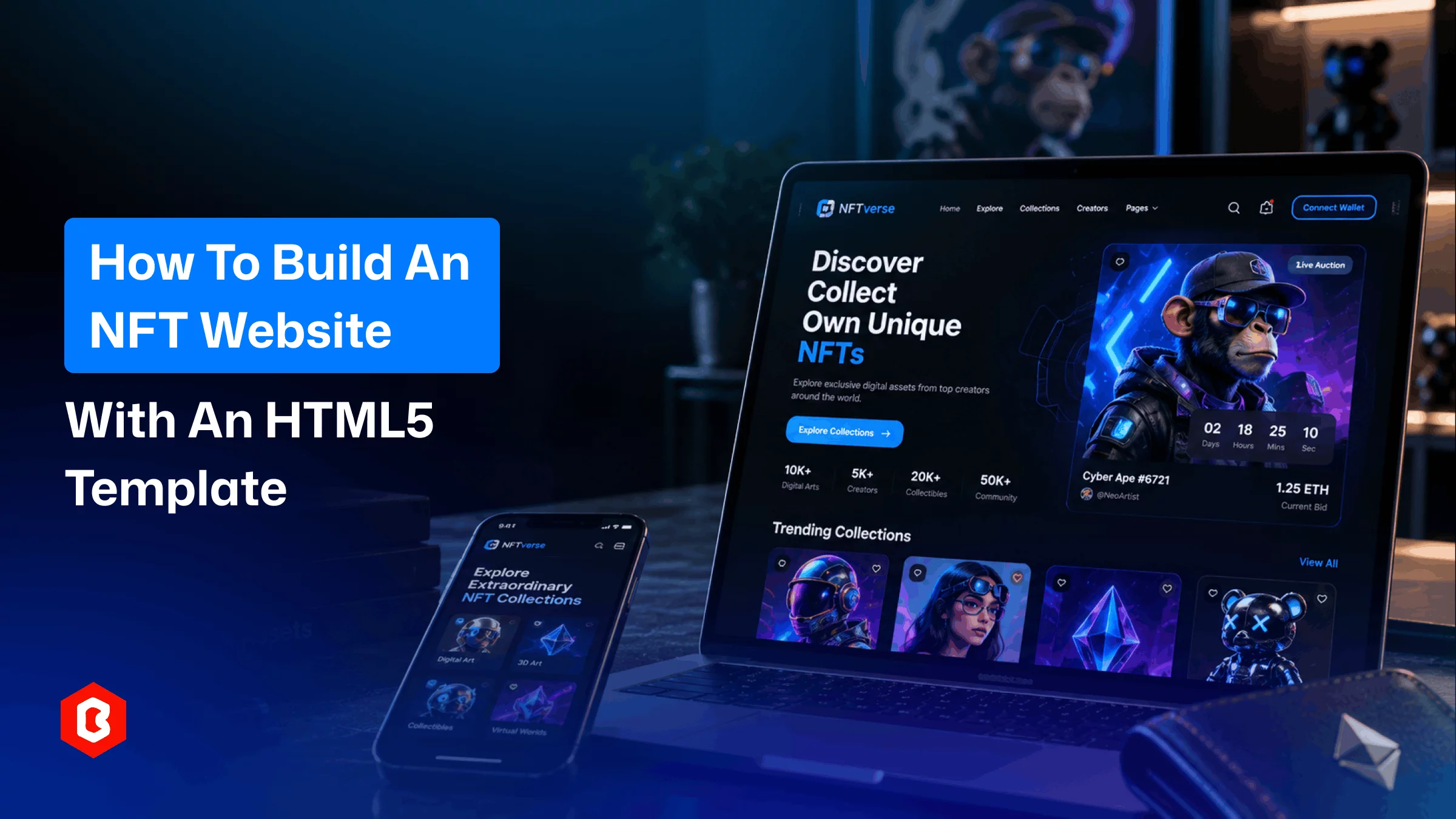
Building an NFT website from scratch means starting with the interface before you even get to the blockchain work. The homepage needs a direction. The collection pages need a structure. Then come creator profiles and item pages. You may also need wallets and auctions.
That is a lot of frontend work before an NFT can even be displayed.
An HTML5 template changes where you start. The main layouts are already there. You get the pages and sections. You also get cards and navigation. The responsive structure is already in place. Your job shifts from drawing every screen to adapting the foundation to your project.
That does not mean the template builds the NFT platform for you. The frontend and blockchain layer are separate pieces. This NFT website template gives you the part users see and interact with. The backend still needs to be integrated. Wallet connections and smart contracts need their own implementation. The same applies to transaction logic.
That distinction matters before you begin.
An NFT website can mean several things.
You might be launching a marketplace where users browse and trade digital assets. You might be creating a site for one NFT collection. Maybe the website is mainly for an artist or creator.
Those projects do not need the same pages.
A marketplace may need to explore pages and collection listings. It may also need item details and creator profiles. Auctions and activity sections can be part of the structure too. A collection website may need little more than a landing page. It could also include a roadmap and minting area.
So do not start by editing the template. Start by deciding what the website needs to do.
That gives you a much better idea of which pages to keep. It also shows you which pages to remove.
The first practical decision is the template itself.
An NFT website template can give you a marketplace layout with the visual language already established. Some templates also include pages for collections and creators. Others include auction layouts and wallet screens. Authentication pages and dashboards may also be included.
That can save considerable frontend work.
But more pages do not automatically make a template more useful.
Open the demo and look at the actual flow. Find the homepage. Open an NFT item page. Check the collection layout. Then look at the creator profile. Open any wallet or authentication screens as well.
You want to see whether those pages make sense together.
A template may have dozens of screens and still be a poor fit for a simple NFT collection.
Choose the structure first. The visual style comes after that.
Once you have the template, the homepage is usually the first major change.
Demo content has to go.
Replace the sample logo. Change the navigation. Update the hero section. Add your collection artwork. Rewrite the headings and calls to action.
This is where the template starts becoming your website rather than a demo.
The hero section deserves particular attention. An NFT project may need to communicate the collection name and launch information. It may also need minting details or marketplace access.
Do not keep every section just because it came with the template.
A marketplace may need featured collections and trending assets. An artist portfolio may need a strong introduction and selected works instead.
Keep what supports the project. Remove what does not.
The collection page is where the visual side of an NFT project gets much more important.
Users need to see the artwork clearly. They may also need information about the collection. Ownership and pricing can matter too. Creator information and activity may need their own sections.
The layout should leave enough room for the actual assets.
This is where an HTML5 template becomes useful. The card structure is already designed. You can replace the sample artwork. You can then connect those cards to your own data.
You might also need filters.
Collections can contain hundreds or thousands of items. A marketplace may need categories and traits. Price ranges and sorting can also be useful. Search may be another requirement.
Those controls belong in the interface. The template itself does not provide the underlying marketplace logic.
The design is ready. The data layer is your next job.
An NFT should not end with a thumbnail.
The item page needs to give the asset room to breathe. A larger preview can sit beside details about the NFT. Price and ownership information can appear alongside creator details. Traits and activity can have their own sections.
Auctions need more.
There may be a current bid and a countdown. You may also need bidding history and an action area. Fixed-price listings need a different interaction.
Your template may already include these layouts. Use them as the starting point if it does. You do not need to design every state yourself.
The important part is connecting those interface elements to real data.
A static “Place Bid” button is only a button until the backend and blockchain logic are connected.
Wallet integration is where an NFT website moves beyond ordinary frontend development.
The template can provide a Connect Wallet button. It can also provide wallet pages and connection states.
That does not mean the wallet is actually connected.
The integration still needs to be implemented. Your developers may need to connect the interface with the wallet provider. They may also need to connect it with the blockchain services used by the project.
The same applies to transactions.
Buying an NFT requires more than a polished page. Placing a bid requires more too. Minting an asset and transferring ownership also need transaction logic behind the interface.
This is why it helps to treat the HTML5 template as the frontend foundation. It is not the blockchain itself.
Not every NFT website needs a minting interface.
Minting may be central to the project for a collection launch site. It may not be necessary at all for an artist portfolio.
The interface could include collection details and available supply for a minting page. It may also show pricing and wallet status. The mint action would sit within the same flow.
But the actual minting process happens through the underlying blockchain implementation.
The template handles the presentation. Your application handles the transaction. Keeping those responsibilities separate makes development easier to plan.
A template gives you a starting point. It should not dictate the final website.
Change the typography. Replace the colors. Adjust spacing. Modify cards. Rework sections that do not fit the project.
The same applies to the navigation.
An NFT marketplace may need links for Explore and Collections. Creators and Activity may need their own sections too. A creator website may need Portfolio and About instead. It could also use Roadmap and Community pages.
You do not need to preserve the original structure.
The point of using a template is to avoid starting from an empty screen.
It is tempting to connect wallets and APIs immediately. There is a better order. Get the frontend working first.
Check every page. Replace the demo content. Test the navigation. Resize the layouts. Open the site on mobile. Look at long collection names and large artwork. Try the forms.
Then connect the dynamic pieces.
Otherwise, a frontend problem can get mixed up with a blockchain problem. A broken button may look like an integration issue. The real problem could simply be the page structure.
Fix the interface while it is still easy to change.
This is the part worth making clear before development begins.
An HTML5 template is primarily a frontend asset. It can provide the structure and visual interface for an NFT website. It does not automatically provide smart contracts. Blockchain transactions and wallet connectivity are separate requirements.
Those pieces have to be added separately.
That is not a weakness of the template.
It is simply the difference between a website interface and a complete NFT application. The development process becomes much easier to map out after understanding the difference.
You do not need to finish everything at once.
Start with the public pages. Get the homepage and collections ready. Then work on NFT details and creator pages. Add the other core screens after that.
Then connect the dynamic data. Add wallet functionality and transaction flows where required after that. Then test the complete journey.
Someone should be able to arrive at the website and discover an NFT. They should be able to open its details. They should be able to connect a wallet where required. They should also be able to complete the intended action without getting lost.
That is the real test. Not how many pages came with the template.
An HTML5 template gives an NFT project something valuable at the beginning. It provides a working visual foundation.
You do not have to design every marketplace card and collection page from an empty file. Creator profiles and mobile layouts do not have to start from scratch either. You can start with the interface. Then you can spend your development time adapting it to the actual project.
Choose the pages you need. Replace the demo content. Build the collection and item views. Then connect wallets and APIs. Add blockchain functionality behind them.
The template handles the starting point. Your development work turns that starting point into an actual NFT website.
Yes. An HTML5 template can provide the frontend structure for an NFT website.
You will still need backend services and blockchain integrations for features such as minting and wallet connections. Buying and selling may also require additional development.
Not necessarily. Most HTML5 templates provide frontend layouts and interface components.
Blockchain functionality needs to be integrated separately unless the product specifically states that these integrations are included.
That depends on the project. A marketplace may need Explore and Collections pages. NFT Details and Creator pages may also be required. Auctions and Activity pages can be useful too.
A smaller NFT collection website may need far fewer pages.
Yes. The template can provide the wallet interface. Developers can then connect it to the required wallet provider and blockchain services.
The exact integration depends on the technology used by your project.
 Similar Blogs
Picking the perfect style for your website is a major decision, especially in the vast scope of web...
Online Marketplace's popularity is increasing daily due to the vast amount of usage of digital colle...

Fashion stores need a website that feels easy to explore. Product images should get enough attention...
MLM and e-commerce are both popular business categories. Those who own businesses in these categorie...
Parents prefer to research online for a childcare center. They want to know about their activities a...
A dental website helps people learn about a particular clinic. Visitors check treatments or find a d...
Related Products 
Not sure which template or UI kit fits your project? Reach out for expert advice.
 100% Satisfaction Guaranteed
  Shop with Confidence!
 Tags
Tags