Buy any 1 product and get 1 absolutely free — this offer applies to all Website Templates, UI Kits, and Complete Scripts.
Buy Now! Article Information
Now, e-commerce is not just a game of “uploading the products and praying for conversions.” Customers today want to experience fast speeds and smooth checkouts with just a few taps. So, the question is for you: “Is going with Shopify good, or will WordPress suit my business?”
Shopify and WordPress dominate this space for completely different reasons. Shopify offers a polished, predictable, operationally clean e-commerce system that lets founders sleep peacefully. At the same time, WordPress with WooCommerce is the raw powerhouse of flexibility that developers adore because you can architect the experience exactly the way you imagine it.
Choosing between them requires clarity, not clichés. So, let’s dive into the real factors that matter.
One thing you have to note: you’re not picking any of the e-commerce platforms for one month for a trial. But you’re picking the ecosystem your brand will live in, scale with, and run for years.
So the comparison must be based on practical realities, not marketing claims.
Running an e-commerce store is already complex, as you have to manage inventory, customers, refunds, marketing, analytics, sales channels, and more. It’s easy to know that you don’t need the platform to be another puzzle to solve.
WordPress is like owning a high-performance workshop for business. It gives you every tool, every level of access, every customization possibility. But it also expects you to understand what you’re doing or have someone who does.
With WordPress and WooCommerce, you’re responsible for your website hosting, performance measurements, security patches, backup logs, plugin compatibility, and updates. Also, it includes occasional “why is my page white now?” debugging sessions and measurements. WordPress is hard, but to be honest, it doesn’t hide the machinery from you.
If you enjoy control, configuration, and flexibility, it feels enjoyable.
If you dislike coding, it feels like an unwanted part-time job.

The daily use case of WordPress is defined by:
Freedom: If you can imagine it, you can build it on WordPress.
Responsibility: You manage (or pay someone to manage) the foundation of an e-commerce website development.
Technical awareness: Even if you’re not doing the work, you need to understand what’s happening on the website.
A well-built WordPress e-commerce store is useful. A poorly maintained one becomes a slow, unpredictable, plugin-heavy website. The difference is not the platform; it’s the stewardship.
The Shopify e-commerce solution removes every unnecessary decision from your life when running a successful business.
There is no hosting selection.
There is no security configuration.
There is no server monitoring.
There is no wondering if your plugin will break after an update.
You log into Shopify, and everything just works smoothly.
When your e-commerce brand scales, it still works by opting for an upgraded plan. Shopify functions like a reliable machine with guardrails: you can customize, but within a sensible, performance-friendly structure.
The brilliance of Shopify is not just simplicity. It’s removing complexity from your day-to-day operations. You can focus on products, customers, marketing, and growth, the parts of your e-commerce business that actually generate revenue.
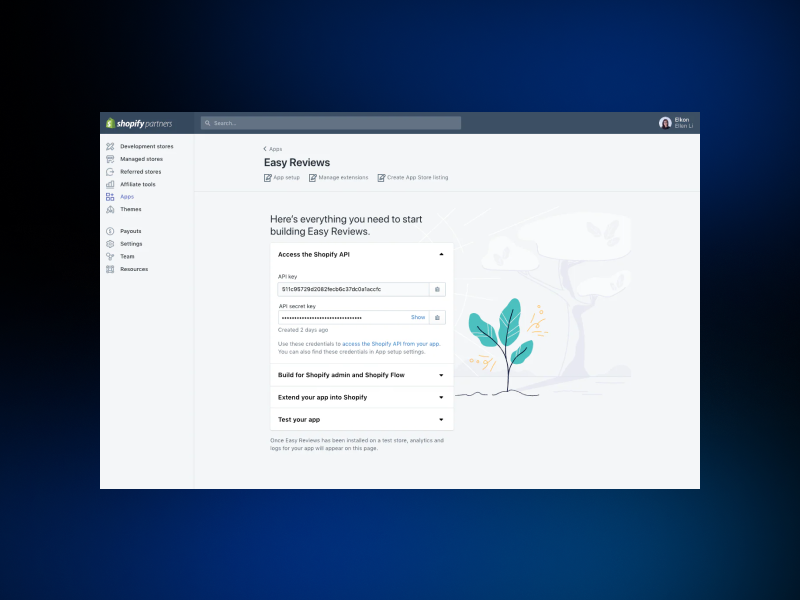
Shopify’s daily experience can be measured in the following aspects:
Structured
Clean
Predictable
Non-technical
Efficiency-driven
It’s a platform designed for founders who want to operate, not troubleshoot.
SEO, referred to as search engine optimization, is where many e-commerce businesses either thrive long-term or become permanent residents of the “ads-only” zone. And this is where the difference between the two platforms becomes very clear, not subtle.
If SEO is your long-term strategy, WordPress with the WooCommerce plugin is a goldmine. It offers a degree of control unmatched by any other e-commerce platform.
Why?
Google doesn’t care what CMS you use. It cares about how optimized your website is.
WordPress gives you the freedom to optimize every corner of it.
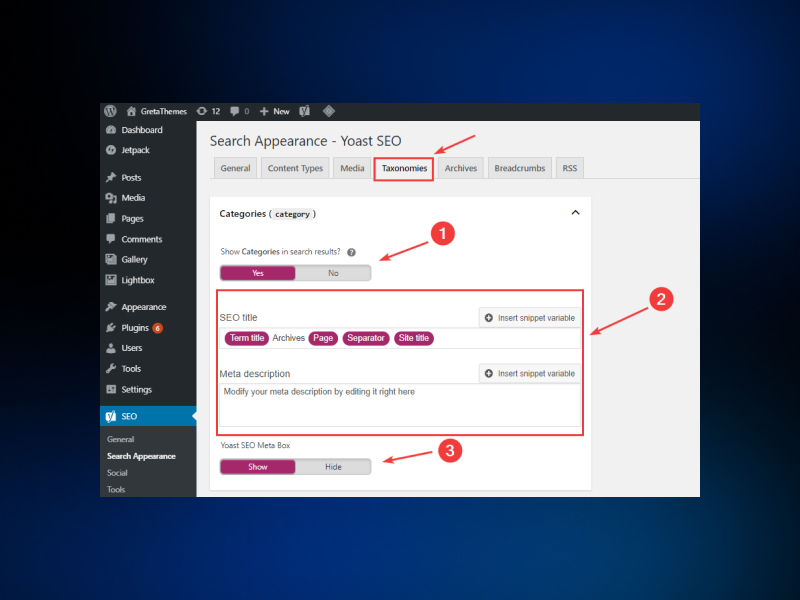
Here’s why WordPress remains the search engine optimization powerhouse:
Full access to backend and frontend structure. You’re the boss and have the freedom to do what you want.
Highly customizable URLs (the holy grail for SEO specialists). Set the best URL as it follows the best recommended practices.
Rich plugin ecosystem for technical, on-page, and schema SEO. The variety of plugins makes your e-commerce website more optimized.
Better long-form content management (critical for blogs & educational traffic). Writing professional blogs and web content brings qualified traffic and leads.
Easier image optimization, caching control, and performance tweaking. Overall, website speed optimization has been done and tested well enough.
No platform limitations are holding back advanced AI search-optimized setups. No vendor lock-in setup is required here.
If you want the strongest e-commerce search optimization infrastructure and the freedom to architect technical SEO strategies, WordPress is unbeatable. Of course, the catch remains: this ability is best used when someone knowledgeable is steering the wheel.
Shopify doesn’t aim for SEO perfection.
What does it stand for?
It aims for SEO consistency. It handles many essential aspects automatically:
SSL
CDN
Mobile performance
Fast load speeds
Clean product pages
Basic meta tag control
Built-in schema markup
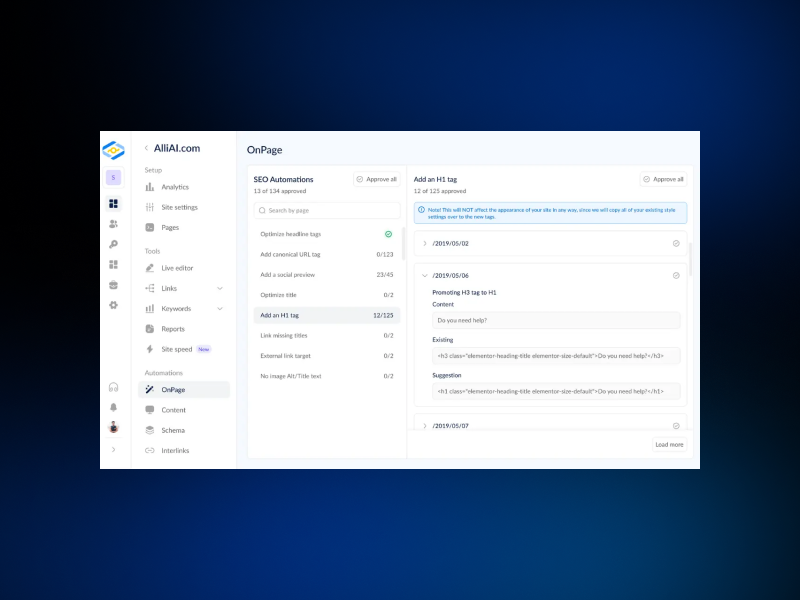
But Shopify does impose structural limitations that advanced search optimization specialists occasionally find restrictive:
URL folders cannot be fully customized
Some metadata behaviors are fixed.
Apps are required for certain advanced configurations.
Full control over the schema is limited.
Despite these constraints, Shopify stores rank well, exceptionally well, when strategic SEO is implemented. That’s because Google rewards speed, stability, and clean architecture, all of which Shopify delivers by default.
If your SEO strategy is moderate-to-strong, Shopify is enough.
If your SEO strategy is aggressive and advanced, WordPress is superior.
When something breaks on an e-commerce website, there are two kinds of store owners:
Those who open a support ticket.
Those who roll up their sleeves, open the FTP panel, and pray.
WordPress favors the second group. Shopify supports the first.
WordPress doesn’t come with a centralized support team because it isn’t a centralized ecosystem. The development support comes from the following:
Your hosting provider
Your theme developer
Your plugin developers
Community forums
Freelancers
Agencies
This is both a freedom and a challenge. You’re not locked into a single support channel. But you also don’t have an emergency hotline to call when checkout breaks during a sale.
WordPress support quality varies wildly. It can be excellent or an exercise in patience.
Shopify’s support philosophy is refreshingly simple: “If it’s our platform, it’s our responsibility.”
The customer support from Shopify is just unexpected. You will get:
24/7 live chat
Email support
Phone support (in many regions)
Extensive documentation
Priority support for higher-tier plans
If your store crashes, Shopify fixes it. If a payment issue occurs, Shopify investigates it.
Support is centralized, consistent, and accountable. This makes it invaluable during high-traffic events like product launches or festivals.
This is where confusion often happens, because the cost structures are fundamentally different in WordPress and Shopify.
WordPress/WooCommerce feels cheaper at first glance, but behaves more like a “build-your-own-budget” ecosystem.
You may pay for:
Hosting (quality determines performance)
Domain
Premium themes
Premium WooCommerce extensions
Developer work
Maintenance services
Security and backup tools
The upside? You control how high or low your expenses go.
The downside? Cost is unpredictable, especially if you scale rapidly or encounter technical issues.
Shopify is the “flat-fee with add-ons” model. You know your base cost on the following subscription plans:
| Plans | Pricing* |
|---|---|
| Starter | $5/month |
Basic | $39/month |
| Shopify | $105/month |
| Advanced | $399/month |
Plus | $2300/month |
* Note: The pricing may vary. It’s advisable to visit the Shopify pricing before proceeding.
In addition, apps, themes, and transaction fees (if not using Shopify Payments) add to the cost.
Opting for a prior plan for the Shopify platform, helping you to get access to the following:
Hosting
SSL
Security
Maintenance
Payment gateway stability
High-speed infrastructure
24/7 support
The higher the plan you select, the more features your e-commerce business is entitled to get.
Shopify charges more. But it also eliminates many hidden expenses WordPress can generate unexpectedly.
This phase is where the philosophies of the two e-commerce platforms, like WordPress and Shopify, diverge completely.
WordPress is limitless. Developers can build anything:
Custom checkout flows
Multi-layer product configurators
Deep ERP integrations
Headless storefronts
Fully custom-designed layouts
Complex marketplace structures
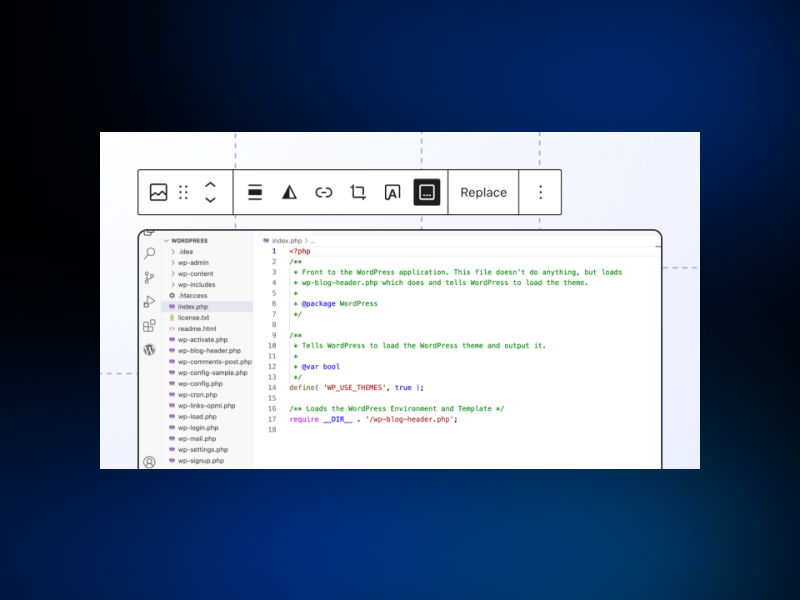
Developers love WordPress because it grants full access to the source code. But with great power comes great responsibility:
Poor coding leads to performance issues
Plugin conflicts can break functionality.
Security requires strict discipline.
There are two scenarios:
In the hands of an expert, WordPress becomes a masterpiece.
In the hands of an inexperienced person, it becomes a maintenance nightmare.
B. Shopify Development
Shopify platform values stability over total freedom. Developers use Liquid, which enforces structured, predictable theming.
Shopify’s strength lies in:
Tightly regulated app ecosystem
Predictable theme behavior
Safe customization boundaries
Fast deployment cycles
Headless possibilities via Hydrogen
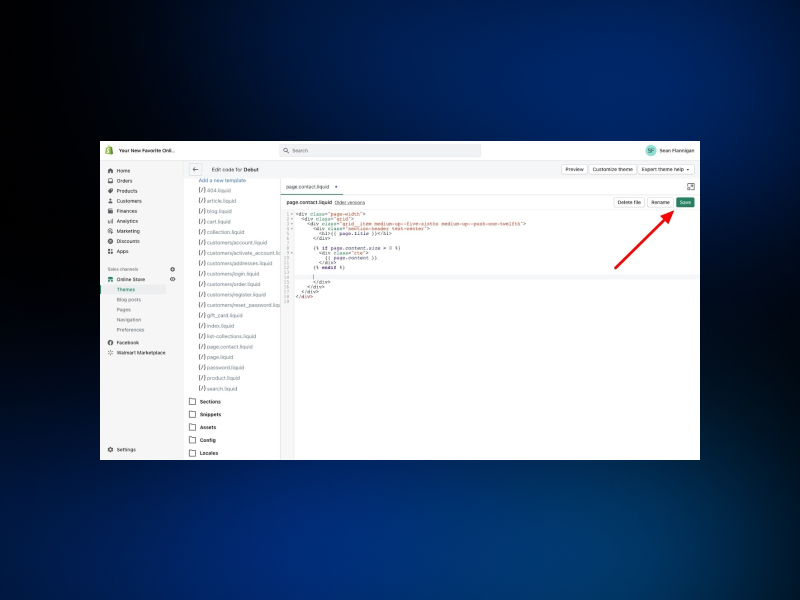
It won’t let you break the platform, but that also means it won’t let you manipulate it endlessly. The guardrails are intentional.
Shopify is ideal for businesses that want clean development without the risk of catastrophic errors.
Choose WordPress when you need the following:
SEO is your primary long-term acquisition strategy.
You need deep customization.
You operate content-driven stores (blogs + products).
You have access to strong development talent.
You want total ownership of your environment.
You value flexibility over simplicity.
WordPress excels in power, control, and creativity.
Choose Shopify when you have the following e-commerce goals:
You want to launch quickly
You focus more on marketing and operations than on technical details.
You want a stable, scalable foundation.
You prefer predictable costs.
You rely heavily on paid ads, influencers, and social traffic.
You don’t want to manage hosting or security ever again
Shopify runs in reliability, performance, and ease of scaling.
Theme Bitrix acts as a development accelerator. We help founders and developers who want refined UI, optimized performance, and clean structure without reinventing the wheel.
Here's how we strengthen both Shopify and WordPress (WooCommerce) e-commerce website development:
Premium quality WordPress themes engineered for conversion
Optimized performance scores across mobile and desktop
SEO-friendly structure for better ranking
Clean, modular code that reduces development time
Mobile-first layouts are essential for modern shoppers.
Customizable components designed for branding flexibility
Developer-friendly documentation eliminating trial-and-error
Whether you're building your first store or upgrading an existing one, Theme Bitrix gives your website a polished, high-performing foundation that developers love and customers trust.
Need to talk about custom website development or something else to take your business to the heights? We have the solution. Contact us.
The Shopify vs WordPress/WooCommerce e-commerce debate isn’t about superiority. It’s about alignment. Each platform is exceptional in its own domain.
WordPress gives you unmatched freedom, deeper SEO control, and limitless customization. It provides you’re ready to manage or outsource the technical responsibilities.
Shopify gives you operational simplicity, consistent performance, secure infrastructure, and scalability without headaches.
Your choice should match your working style, your technical comfort, and your long-term business vision.
Because in e-commerce, the platform doesn’t make your brand. But it absolutely determines how smoothly and successfully you can build it.
What is the fundamental difference between Shopify and WordPress/WooCommerce?
Shopify is a hosted, all-in-one platform covering everything (security, hosting, maintenance). WordPress is a self-hosted CMS where you manage hosting and add e-commerce functionality using the WooCommerce plugin.
Is Shopify or WordPress/WooCommerce better for SEO and content marketing?
WordPress/WooCommerce offers deeper technical SEO control, customizable URLs, and superior blogging tools, making it ideal for an aggressive content strategy. Shopify provides excellent speed and SEO consistency.
Which platform is cheaper: Shopify or WordPress?
WordPress/WooCommerce can be cheaper initially, but costs are variable (hosting, plugins, maintenance). Shopify has fixed, predictable monthly subscription fees covering core services like hosting and security.
Which e-commerce platform is better for a beginner with no coding experience?
Shopify is far better for beginners. It’s a user-friendly, plug-and-play solution that handles all security, hosting, and technical updates automatically, letting you focus only on selling products.
How do Shopify and WordPress handle business scalability?
Shopify provides hassle-free scalability; you just upgrade your plan, and they handle the server load. WooCommerce scales infinitely, but requires you to manage and upgrade your own hosting infrastructure.
Do I have total control over my site’s design and features on both e-commerce platforms?
No. WordPress/WooCommerce offers limitless customization through open-source code and plugins. Shopify provides great customization within its framework but imposes structural guardrails for stability.
Which platform is better for dropshipping?
Shopify is generally superior for dropshipping due to its robust app ecosystem (like Oberlo/DSers) that seamlessly automates product sourcing, inventory synchronization, and order fulfillment processes.
 Similar Blogs
When it comes to managing an online store, time is a precious commodity for every business owner. Th...
E-commerce platforms have become similar to convenience in the shopping dictionary. Around 33% of th...
Having a website has become necessary for all sizes of businesses in this digital world. Whether you...

Creating a website using a WordPress template or theme is a great idea for those individuals who are...
E-commerce has been a synonym for convenience. Many customers have appreciated the concept of gettin...
Choosing the right e-commerce template can be an important step for the success of your online store...

Not sure which template or UI kit fits your project? Reach out for expert advice.
 100% Satisfaction Guaranteed
  Shop with Confidence!
 Tags
Tags