Buy any 1 product and get 1 absolutely free — this offer applies to all Website Templates, UI Kits, and Complete Scripts.
Buy Now! Article Information Table Of Contents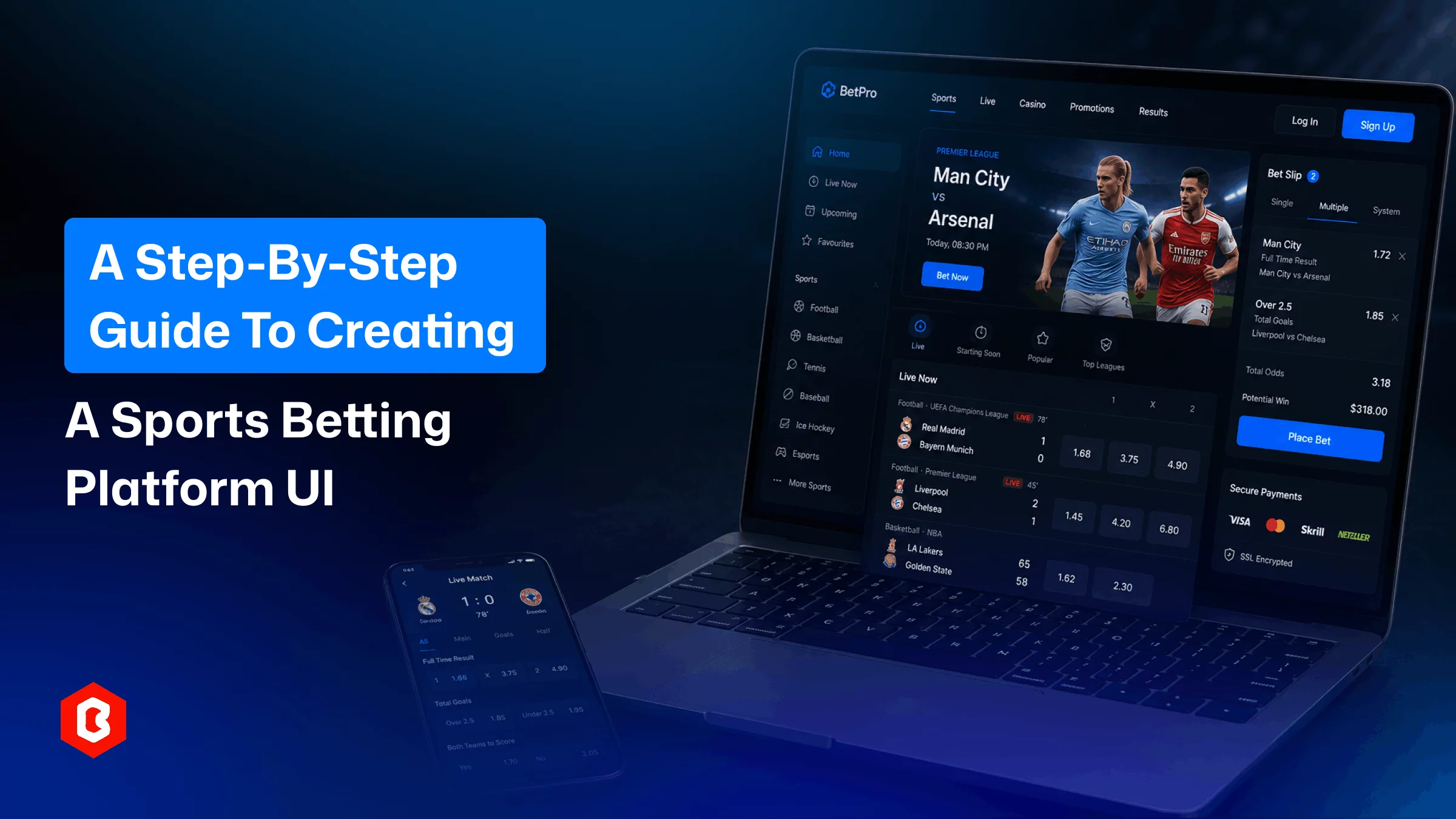
A sportsbook depends on its interface. Odds shift constantly, users are often placing bets in the middle of a live match, and a single confusing screen in the bet-placement flow can be the difference between a wager placed and a tab closed. Yet search for "sports betting website UI" and most of what comes up is product pages: a UI kit here, a template marketplace there. Useful once you already know what you're building, but not much help if the question is how a sportsbook interface actually comes together in the first place.
This guide answers that question directly. It walks through the full process behind strong online sportsbook UI design from researching how different bettors actually behave, through structuring navigation and the bet slip, to the responsive sportsbook design decisions that make or break the mobile experience in roughly the order a design team would work through them. If you're planning, briefing, or evaluating a betting website design project, this is the sequence to check it against.
A sportsbook isn't a content site with a checkout bolted on. Odds move by the second, users are often deciding under time pressure, and a confusing bet slip can cost real money in abandoned wagers. Betting website design has to hold three things in tension at once: speed, clarity, and trust, and losing any one of them sends users to a competitor a tab away.
A casual weekend bettor wants a short, guided path: pick a match, glance at a couple of markets, place the bet. A serious punter wants density: several markets open at once, fast filters by league, a bet slip that stays visible while browsing. Most sportsbooks keep the default view lean and allow users to switch into a denser layout through settings. This saves time for designing one interface that tries to satisfy both at once.
Lay out the full path of the sportsbook website first, including sign-up and verification, browsing sports and leagues, selecting a market, and tracking the results. Treat each as its own screen or state. Skipping this step is how teams end up with a polished homepage feeding into a clunky, inconsistent bet-placement flow.
KYC is unavoidable in regulated betting, but breaking it into short, progressive steps instead of one long form keeps signup drop-off lower.
This is the flow that matters most commercially. Every extra tap between selecting an odd and confirming a stake is a chance for the user to hesitate. Strong sportsbook flows keep it to two or three taps.
Multiple sports leagues and thousands of live events appear on sports betting platforms. A hierarchy for dependable structure typically includes:
A persistent top-level nav for sport categories
A side panel for leagues within a sport
Fast search for a specific team or match
Present a proper split between pre-match and live/in-play sections
Consistency in design matters more than cleverness here. Users should be able to guess where a feature lives after one visit.
This is the functional core of any sports betting website UI.
Odds need to be legible at a glance, shown in whatever format the user's region expects: decimal, fractional, or American and updated live without disorienting the page. A brief highlight when an odd shifts is enough signal; anything more aggressive competes with the numbers themselves.
Trust is won or lost here. A good bet slip shows the selection, stake, potential return, and any odds movement since selection, and lets users edit or remove a pick without losing their place. Making it "sticky" visible while browsing continues cuts the friction of jumping back and forth between markets.
In-play bettors are watching the interface and the match at once. Scorelines, timers, and event markers need to update quickly and stay visually separate from static pre-match content, or the two start to blur.
Most betting traffic today is mobile, often one-handed, often mid-match. Responsive sportsbook design means the layout and content hierarchy actually adapt to screen size, not that elements simply shrink.
On mobile, collapsible odds panels work better than dense grids. Adding a bottom-anchored bet slip that is reachable by thumb can help users. The larger tap targets around odds buttons and lighter animation can help users on weaker connections.
Desktop users prefer the opposite by showing more markets visible at once, a wider slip, and side-by-side comparisons. A layout that's simply scaled down for each breakpoint is one of the more common reasons sportsbook interfaces feel not proper on phones.
On a sportsbook, the color, contrast, and type are functional. To make readable odds and call-to-action buttons, strong contrast is needed. For example, a consistent color code, such as green for rising odds and red for falling ones. So, users parse changes without reading every figure. Focus on typography should favor legibility over personality, and numerals especially need to stay clear at small sizes.
Deposit and withdrawal flows should be as short as bet placement, with fees and processing times stated plainly. In the interface itself, the licensing information and responsible-gaming tools should be included, like deposit limits and self-exclusion. That visibility is part of what makes a betting website feel credible rather than throwaway.
Prototypes should be tested against situations that mirror actual use, such as placing an in-play bet during a fast-moving match, not clicking through a calm demo. Watching where someone hesitates on the bet slip, or misreads an odds format, tells you more than any style-guide review.
Overloading the homepage with every sport and promotion at once
Treating mobile as a scaled-down desktop layout instead of a separate design pass
Hiding the bet slip behind an extra tap on mobile
Using low-contrast colors for odds, which hurts outdoor readability
Skipping usability testing on the bet-placement flow specifically
Designing a sportsbook from a blank canvas takes real time; every screen and state needs building and review. A pre-built kit can shorten that phase, provided it's built for betting platforms rather than adapted from a generic dashboard template.
The SportsBet UI Kit is one example built around that use case: a Figma design system with dashboard layouts, odds and market displays, and betting widgets, aimed at teams building a sportsbook, fantasy app, or hybrid casino-and-betting platform. Like most Figma kits, it's a design foundation rather than finished code; your dev team still handles responsiveness and connects it to live data feeds. For teams that want a visual head start rather than a blank file, that trade-off is usually worth it.
A strong sports betting website UI isn't assembled from template screenshots; it comes from understanding the user journey, structuring information clearly, and designing for speed at every screen size. Whether you build from scratch, start with a kit like SportsBet, or commission a custom design, the steps above are what actually determine whether users trust the platform enough to keep betting on it.
Any platform targeting more than one region should design currency switching early for convenience in development.
A UI kit features pre-built design, not code as a template does. Both are used to make development easier.
Slow-loading odds pages risk losing bettors mid-decision, since prices can shift before the page even finishes rendering.
It's common but not mandatory; worth including if your audience skews toward evening or late-night mobile betting sessions.
Focusing on sufficient color contrast and readable font sizes and keyboard or screen-reader support are some betting interface accessibility basics.
For simple single bets, yes, it removes a confirmation step for users who already know exactly what they want.
Show a brief loading or refresh indicator rather than letting a stale price sit onscreen without any signal it's updating.
 Similar Blogs
In 2023, the worldwide online betting and lottery market size reached $242.04 Billion. To capture a...

Online Sports betting apps are considered as the source of earning passive income but with that, the...

Nowadays, online sports betting apps are emerging as a healthy income source for bettors. All thanks...

Sports are a very important aspect of everyone’s life because from there we find happiness, and eval...

The digital world is moving exceptionally fast. In this fast-paced digital world, building a website...
The online sports betting industry is one of the most rapidly evolving industries right now. It is w...
Related Products 
Not sure which template or UI kit fits your project? Reach out for expert advice.
 100% Satisfaction Guaranteed
  Shop with Confidence!
 Tags
Tags