Buy any 1 product and get 1 absolutely free — this offer applies to all Website Templates, UI Kits, and Complete Scripts.
Buy Now! Article Information
It’s no coincidence that global online shopping is growing YOY. The study reveals that by 2025, over 2.77 billion people are expected to shop online worldwide. With that, building an e-commerce site isn’t just about putting products online. It also relates to selecting the right technology stack built to deliver speed, security, flexibility, and a rich user experience. What you choose under the hood can decide long-term success.
In this article, we will talk about everything related to online store development. From the popular tech stacks like MERN, MEAN, to how the big e-commerce giants like Amazon, Flipkart, Walmart are using these ones. Also, we talk about the best platform to build the next famous e-commerce shop.
An “e-commerce tech stack” refers to the collection of technologies, frameworks, databases, platforms, and third-party services used to build and function an online store. It contains:
Front-end (what users see and interact with)
Back-end (server logic, data handling)
Integrations (payments, analytics, notifications), hosting/infrastructure, and more.
A robust stack ensures the website is fast, secure, scalable, and mobile-friendly. It also supports advanced features like:
Seamless UX for buyers and sellers
Real-time inventory updates
Dynamic pricing
Payment gateways
Third-party integrations
A technology stack for online store development defines how the platform can be successful. Do you know Amazon.com or Walmart.com? Just like that.
Next, we move forward to know the types of technology used in e-commerce website development.
There are three types of stacks used in online store development:
Front-end
Back-end
Third-party Integrations
Let’s understand them.
Front-end technologies determine how smoothly users browse, search, or shop. For a modern online store, the front-end (client-side) must have to be optimized for:
Responsive design
Fast load times
Intuitive navigation
Dynamic product listings
User-friendly interfaces
Cross-device compatibility (desktop + mobile).
The common choices of front-end development include:
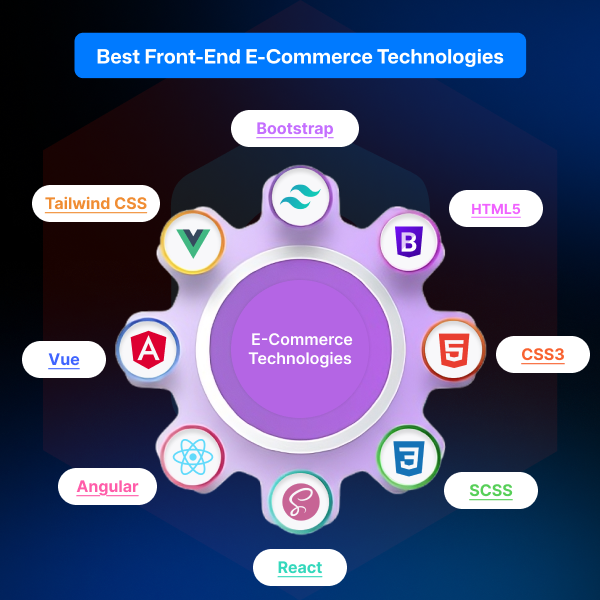
HTML5 / CSS3 with responsive design: This technology is foundational for any modern e-commerce site to ensure that the site works well on desktop and mobile. As a majority of online shoppers buy from mobile devices today, a mobile-friendly design is non-negotiable.
JavaScript frameworks (e.g., React, Angular, Vue): These JS frameworks are used for building dynamic, interactive user interfaces: product gallery filters, live search suggestions, dynamic shopping cart updates, etc.
CSS frameworks / Responsive UI libraries: To ensure consistent, attractive layouts and a fluid experience across various devices and screen sizes, CSS frameworks Tailwind CSS or Bootstrap are applied. Additionally, responsive UI libraries like React also work.
To support user-experience features like advanced product search & filters, smooth checkout flow, seamless browsing, a front-end is needed. After all, in e-commerce, professionally presenting the brand and converting visits into purchases is the first goal.
Back-end technologies smoothly manage the server-side logic implied on the front-end side. In other words, user management, inventory, orders, payments, data storage, security, and more everything is handled by the back-end. In this type of development, a scalable, robust operation is typical:
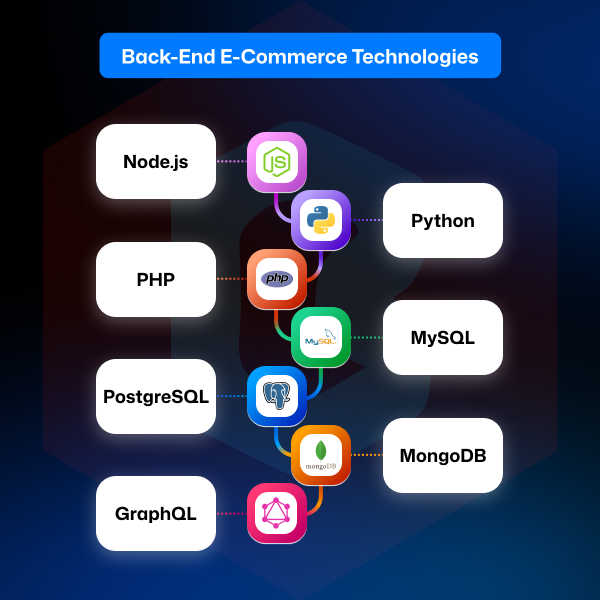
Server-side languages & frameworks: The programming languages like Node.js (JavaScript), Python (Django), and PHP (various) are used along with the frameworks like .NET, Java (Spring Boot).
Databases: To store and process the data, relational databases (MySQL, PostgreSQL) or NoSQL (MongoDB, Redis) are usually prioritized. However, the best database selection depends on requirements.
API layer / REST or GraphQL: To support front-end interactions, mobile apps, and integrations, the integration of API and GraphQL is the most appropriate choice.
Ultimately, a well-architected back-end of the website that flexibly handles large product catalogs, user accounts, orders, payments, and data analytics. With the future features like real-time updates, personalization, or complex promotions, also be controlled through the back-end.
Modern e-commerce stores rarely stand alone. To fuel the functionality in the website, there are common integrations required:
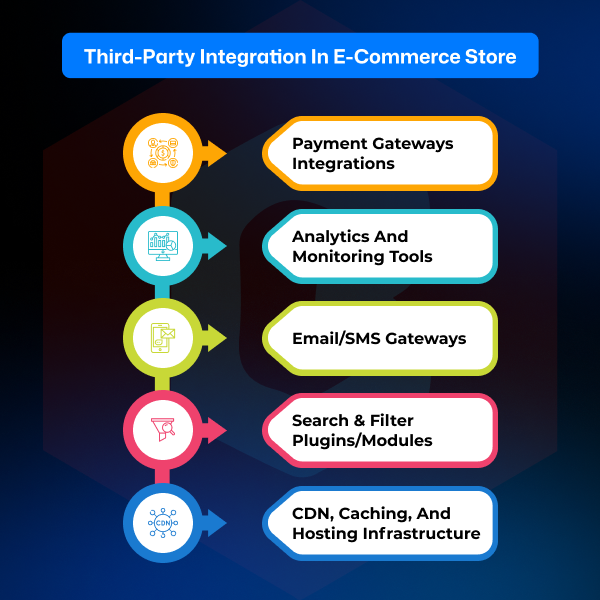
Payment gateways integrations (credit/debit cards, digital wallets, UPI/bank transfers, etc.): It should support secure transactions, refund mechanisms, and possibly escrow or wallet management for advanced flows.
Analytics & monitoring tools: These tools help both businesses and sellers to track user behavior, conversions, user retention, sales trends, etc. It becomes helpful in planning a marketing strategy and its evaluation.
Email/SMS gateways: Advanced e-commerce platforms need a system for order confirmation, shipping updates, promotional messages, etc. With the Email marketing and SMS tools, sending those updates through a centralized system is easy and flexible.
Search & filter plugins/modules: For advanced search, filtering, sorting, and recommendations, the search and filter plugins on the website are required.
CDN, caching, and hosting infrastructure: To ensure fast page loads, especially for a global user base, a content delivery network and website caching are important. Also, a reliable hosting infrastructure support preferable.
In essence, these third-party integrations transform a basic storefront into a professional, scalable, and user-friendly online store capable of handling traffic and smooth shopping experience.
The next section is to know the factors that decide what kind of front-end will work well for your small business, or what type of backend has delivered the functionality to an MNC's website.
When deciding on a tech stack for an online store, these factors play an important role:
Scalability: The stack you opted for has to be scalable and work smoothly without any lags, whether it’s 100 visitors per month or 100 million.
Performance & Speed: The technology and programming languages are properly optimized for the page load time, speed, and site responsiveness. These elements are essential for user retention, SEO, and conversions.
Security: Security is everything in an online store. To maintain and handle online payments, protect user data, and prevent fraud, a tech stack is never to be compromised.
Flexibility & Extensibility: By having the ability to add features later (e.g., promotions, coupons, flash sales, user reviews, product recommendations), keep the e-commerce store growing.
Mobile-friendliness / Responsive design support: In 2025, mobile commerce drives a majority of online sales globally. It means a mobile-friendly e-commerce site will be the best asset.
Developer community & tooling: Popular stacks have stronger community support, libraries, and documentation for website setup and issue configuration.
Ease of maintenance & updates: A clean architecture, modular code, ease of updates, and bug fixes should be supported in the chosen technology stack.
Third-party integrations support: The website stack you've opted for must work seamlessly with payment gateways, analytics, shipping, search, CMS, and other necessary tools.
Time to market & cost: Maintain a balance between building a store quickly using e-commerce website templates and preferring an advanced, long-term custom solution.
User experience & UX capabilities: The best e-commerce website designs are considered as a smooth browsing, checkout, search, product filtering, mobile performance, and an overall polished interface.
These factors ensure your final product isn’t just functional. It’s competitive, scalable, and user-centric.
Let’s explore some commonly used stacks. Many of these fit well for building e-commerce stores, each with its pros and trade-offs.
These tech stacks are mostly used for small to large-scale applications:
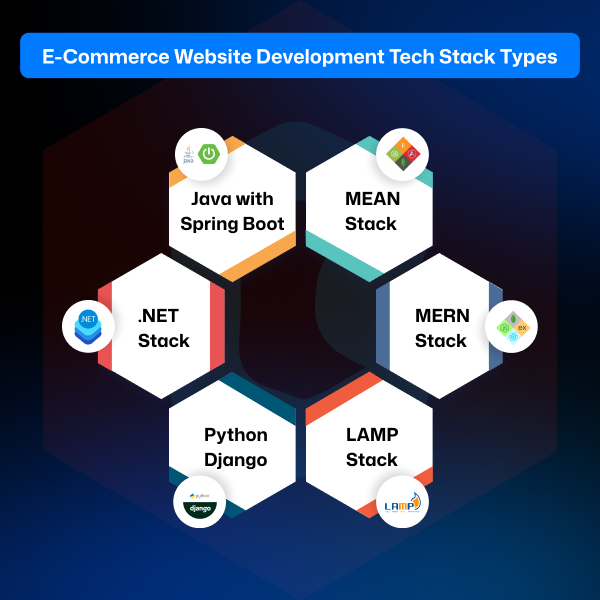
MEAN stack stands for MongoDB (Database), Express.js (Back-end), Angular (Front-end), and Node.js (Back-end).
This stack is entirely JavaScript-based, which simplifies full-stack development.
It is good for real-time features, rapid development, and dynamic UIs.
Particularly useful if you want a single-language stack (JS everywhere) and plan to build interactive features such as live search filters, user dashboards, etc.
MERN stack stands for MongoDB, Express.js, React, and Node.js.
It became popular thanks to React’s efficiency in building dynamic front-ends and easy integration with Node.js back-ends.
This stack is a great candidate for e-commerce sites needing dynamic UI updates, product galleries, filters, sorting, and interactive checkouts and carts.
LAMP stack stands for Linux, Apache, MySQL, and PHP.
This tech stack is traditional and widely used for many e-commerce platforms, especially with existing CMS/e-commerce frameworks (e.g., many PHP-based solutions such as WooCommerce).
The LAMP stack is stable and mature. It is good for smaller to medium-scale stores, or when flexibility and simplicity are priorities.
May require additional tools/modules for modern performance, caching, and scalability compared to newer stacks.
The Python language is useful for back-end development, and Django is a framework. Both of these work with PostgreSQL or MySQL.
Django is secure, scalable, and offers robust admin capabilities. This is useful when building more complex stores, or those involving admin panels, inventory management, or custom business logic.
This e-commerce stack is good for developers comfortable in Python and looking for a structured, clean framework with built-in security and scalability.
Microsoft’s .NET ecosystem (C#, ASP.NET, SQL Server, or other DB) is known for enterprise-grade, strong security, and good tooling.
The .NET tech stack is suitable for complex stores requiring top-level integrations (payment gateways, ERP connectivity, large catalogs, multi-region operations).
Online shops expecting high traffic, needing enterprise features, or integrating with other Microsoft-based systems can be chosen for this stack.
This is a Java back-end framework (Spring Boot), with relational databases like PostgreSQL or MySQL.
It is highly scalable, performant, and suited for large-scale e-commerce stores or marketplaces needing reliability, concurrency handling, and robust security.
Java with Spring Boot is recommended for projects where long-term stability, performance under heavy load, and enterprise-grade architecture are essential.
Ultimately, what kind of website development tech stacks are used for an e-commerce store depends on the business size and features.
If you plan to deliver a mobile app version of your store (which many modern e-commerce sites do), these stacks and frameworks are worth considering:
It is a cross-platform (iOS + Android) UI toolkit.
This allows building fast, beautiful e-commerce mobile applications from a single codebase.
Flutter is a good choice if you want mobile app versions quickly without maintaining separate native codebases.
This framework is used for cross-platform development and uses JavaScript/React.
It is highly performant, large community, easy to integrate with existing React/Node.js back-ends.
Useful if you already use React for the web version of the front-end app development, as code and logic can be shared to some extent.
This is Microsoft’s cross-platform UI framework (successor to Xamarin).
It is useful if you are already invested in the .NET stack. This allows building apps for iOS, Android, and Windows from one codebase.
These are web-based, but behave like an app optimized for responsive, installable, and work offline or with poor connectivity.
It is known for low maintenance compared to native or cross-platform apps and easy updates via the web.
PWA apps are good for businesses where building full native apps isn’t viable or cost-effective.
This tech stack is the highest performance and is accessible to native components (push notifications, background processing, platform-specific optimizations).
Kotlin and Swift UI are the best for large-scale apps needing maximum control, performance, or deep integrations (e.g., custom payment modules, advanced UX, native analytics).
The e-commerce app development technology selection depends on how many audiences you want to reach as a business.
Here’s a quick comparison of typical choices across technology stacks:
Layer / Need | Options / Recommendations |
|---|---|
Front-end | React, Angular, Vue. HTML5 + CSS3 + responsive frameworks |
Back-end | Node.js / Express. Python / Django. .NET, Java Spring Boot, PHP (LAMP) |
Database | MongoDB (NoSQL), MySQL / PostgreSQL (relational), Redis (cache / real-time) |
E-commerce / Shopping Platform | Custom-built (with above stacks) or existing e-commerce frameworks (PHP/Node/Python/.NET) |
Payment Gateway Integration | Secure payment processors, digital wallets, and payment gateways |
Hosting & Cloud | Cloud providers (AWS, Azure, Google Cloud), containers (Docker/Kubernetes), CDN, and load balancing |
Mobile / App | Flutter, React Native, PWA, .NET MAUI, Native Kotlin/Swift |
Real-time & Notifications | WebSockets, push notifications, real-time data streaming/messaging services |
Scalability & Performance | Load balancing, microservices architecture, caching layers, CDN, asynchronous processing |
Security & Compliance | Secure authentication, encryption, data protection, secure payment handling, and compliance with regulations |
Choosing the right technology combination depends on project size, expected traffic, complexity of features, budget, and long-term vision.
From hands-on experience and seeing many store owners go through unwanted lessons, here are the common mistakes that affect e-commerce projects:
Choosing a stack purely based on familiarity rather than scalability or long-term need. Note that what works for a small shop may fail when traffic multiplies.
Ignoring mobile-first / responsive design from the start. This leads to poor mobile UX, high bounce rates, and lost sales.
Underestimating the importance of security, payment gateway integration, and safe data handling. This can lead to potential data breaches or payment failures.
Building a rigid architecture that’s hard to extend. This makes it costly to add features like analytics, new payment methods, and mobile apps later.
Overlooking performance optimizations (caching, CDN, code splitting) results in slow load times, lagging user experience, and poor conversions.
Not planning for third-party integrations (analytics, search, payment, shipping, notifications) from the start. It can contribute to significant refactoring later.
These mistakes surface only after the store goes live and starts attracting traffic. By then, making the site from the first step can be costly and disruptive.
You know the advanced and flexible functionality of Amazon, Flipkart, eBay, Etsy, and Walmart. Behind it, the technology works as follows:
Marketplace | Front-end | Back-end | Integrations / Services | Databases | Infrastructure / Other |
|---|---|---|---|---|---|
| Amazon | HTML, CSS, JavaScript, React | Java, C++, Python | AWS ecosystem, Microservices, Search Services | MySQL, NoSQL (various AWS DBs) | AWS Cloud, Distributed Systems, High-performance caching |
| Flipkart | React, Responsive Front-end | Java, Node.js | Mobile (React Native), Payment Gateway Integrations | MySQL / NoSQL mix | Cloud + Containerization, Scalable Microservices |
Etsy | HTML, CSS, JavaScript | PHP, Java, Node.js | Analytics tools, third-party search & caching | MySQL | Cloud Hosting, CDN, Caching Layers |
| eBay | JavaScript, React, Redux | Java, Node.js | Docker, Jenkins CI/CD, Payment Integrations | MongoDB, MySQL, Relational + NoSQL mix | Kubernetes, Hybrid Cloud, Microservices |
| Walmart | React, JavaScript | Java, Node.js, and Some Python | Monitoring & Analytics, API Integrations | MySQL, PostgreSQL, NoSQL (Cassandra) | Docker, Kubernetes, Distributed Cloud Architecture |
These large-scale approaches serve as a good benchmark when designing your own store or marketplace, especially if you anticipate growth, heavy traffic, or feature expansions.
It’s good to know the tech stack, but what if you want a ready-made online store with ease and to reduce the coding efforts? Simply move towards the e-commerce platforms.
If building an e-commerce website from scratch isn’t your goal, and you prefer using ready platforms (with potential customization). These are popular options:
Shopify: It is very popular, especially among small-to-medium retailers. Easy setup, a wide range of plugins/add-ons, payment integrations, and a managed environment are the key highlights of Shopify. This platform is good for retailers who prioritize speed-to-market and low maintenance.
WooCommerce: This is an open-source plugin for WordPress, flexible for small-to-medium stores, customizable, and well-supported by the community. It is a good choice if you want control and extendibility without a full custom build.
BigCommerce: It’s a SaaS-based, scalable platform that supports many integrations and is suited for retailers aiming for growth and less concern with server management.
Wix: This is an easy drag-and-drop website builder, suitable for small stores or minimal setups when simplicity is more important than custom complexity.
Square Online: This platform integrates well with payment and POS systems, useful for unified online/offline commerce under a single roof.
However, for those seeking deeper flexibility, custom features, and long-term growth (especially with high traffic or unique workflows), custom-built tech stacks (as described above) remain the stronger choice.
Looking for the best e-commerce store development partner that creates the website and app according to your business? Theme Bitrix is your right development partner.
Theme Bitrix delivers a complete end-to-end e-commerce development ecosystem that unifies design, development, integrations, and performance optimization under one solution. Our team builds the complete platform with the following approach:
Conversion-focused front-ends
Stable and scalable back-end architectures
Seamless integrations with payment gateways, shipping APIs, CRM/ERP tools, and marketing systems.
With strong security standards, SEO-optimized coding, fast load performance, and growth-ready architecture, Theme Bitrix provides reliable full-stack engineering for advanced online businesses. We also offer dedicated support, custom workflows, and long-term scalability.
Need further details or want something important to discuss? We welcome your suggestion. Contact us.
Ultimately, a well-chosen technology stack is not just about coding. It’s about delivering value: to customers browsing your store, to administrators managing the business, and to your own team building and maintaining a system for the long haul. That choice becomes the foundation on which user trust, smooth user experience, seller satisfaction, and long-term growth of your online store will stand.
How do I match my specific business requirements to the best tech stack or platform?
Choose a tech stack by aligning your business goals, scalability needs, budget, performance expectations, and required features. Evaluate long-term flexibility, integrations, and development resources before finalizing the stack.
What are the typical costs or budget ranges for each tech stack or platform option?
The costs may vary. The low upfront ($0–$5k) plus a monthly cost $29–$300. For WooCommerce, and modest setup costs remain $800–8k. Magento/Enterprise costs $50k+. Custom development remains around $20k–250k+.
If I already have a store, how difficult is it to migrate to a new stack or platform?
Migration difficulty depends on your data size, custom features, and integrations. With expert handling, most stores migrate smoothly, but planning, testing, and backups are essential for avoiding interruptions.
What ongoing support or maintenance will I need after launch, and who provides it?
After launch, you’ll need regular updates, security fixes, performance optimization, backups, and feature enhancements. Support usually comes from your development team, an agency, or the platform’s managed services.
How customizable are the ready-made platforms compared to custom-built solutions?
Ready-made platforms offer quick setup and design freedom but limited backend control. Custom-built stacks allow full flexibility, deeper functionality, and complete ownership over every aspect of your store.
What is the difference between Shopify and WordPress?
Choose Shopify if you want a user-friendly, all-in-one 'managed' platform where the technical stuff (security and hosting) is handled for you. Choose WordPress with WooCommerce if you want full control, lower long-term costs, and better blogging tools, but be prepared to manage the technical setup and updates yourself. There is a difference between Shopify and WordPress.
 Similar Blogs
WordPress is an open-source content management system, which is widely used to build and manage a va...
Having an online presence is important for any business in this digital world. When you’re thinking...
An ecommerce website is considered the best solution to boost online sales. However, you must choose...
Having a high-performing eCommerce website is essential in a quickly growing digital world. Building...
Many businesses want to launch e-commerce stores, but they have to face many challenges. As a busine...

Having a professional website for your apartment tenant service is such a valuable business asset. B...

Not sure which template or UI kit fits your project? Reach out for expert advice.
 100% Satisfaction Guaranteed
  Shop with Confidence!
 Tags
Tags