Buy any 1 product and get 1 absolutely free — this offer applies to all Website Templates, UI Kits, and Complete Scripts.
Buy Now! Article Information Table Of Contents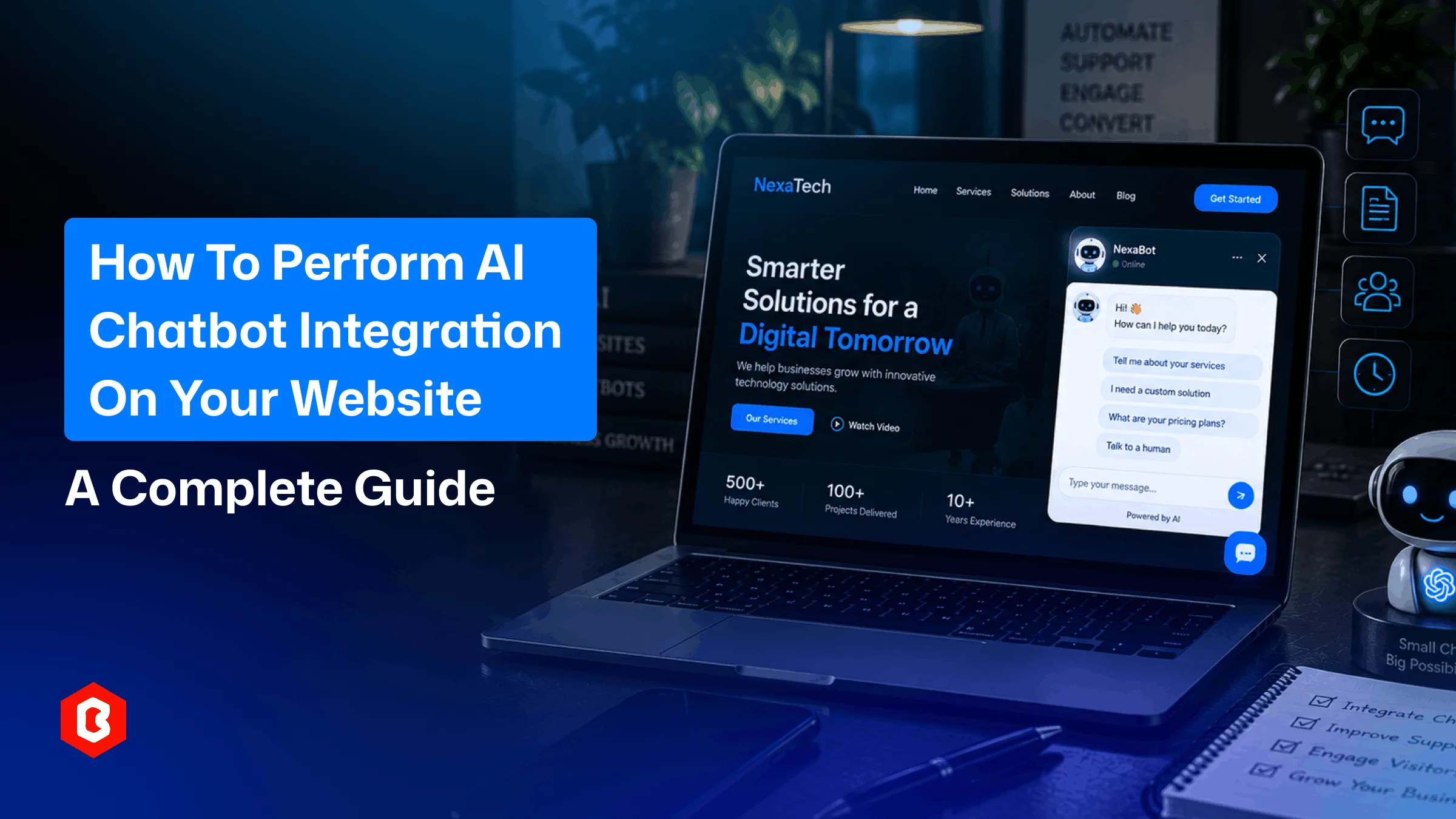
AI chatbots can help visitors find information. They can also answer common questions and provide basic support. That’s why they have become quite useful nowadays.
People often want quick answers when they visit a website. They may want to know about a service or product. They may also want to find specific information.
This makes an AI chatbot useful for many websites.
A chatbot can answer common questions without making visitors search through many pages. It can also help support teams manage simple queries.
Adding a chatbot does not always mean building one from scratch. Businesses can use existing chatbots. They can also work with AI chatbot development services for custom requirements.
The right option depends on your website.
AI chatbot integration means adding an existing AI chatbot to your website.
It appears on the website after integration. Visitors can use the chat window to ask questions.
It can provide answers based on the information given to it. This may include website content and FAQs. It can also include product or service information.
Some chatbots can connect with other business tools. These may include CRMs and knowledge bases.
The level of integration depends on the features your website needs.
Visitors may have questions while using your website. A chatbot can answer their questions. It can provide quick answers and guide visitors to the right page.
For example, a visitor may ask about pricing. The chatbot can provide the available pricing information.
A visitor may also ask about a service. The chatbot can explain the service and take them to the relevant page.
This can make the website easier to use.
A chatbot can also reduce repetitive questions for support teams. The team can then focus on queries that need direct assistance.
Start by deciding what an AI chatbot should do.
It may answer common questions. It may provide product information. It can also help visitors find services or collect inquiries.
Next, decide what information the chatbot will use.
This can include FAQs and website content. It can also include product details and service information.
The information should be clear and up to date.
You should also check how it will connect with your website. Some solutions use a chat widget. Others may need APIs or custom integration.
These details can help you choose the right solution.
Start with a clear purpose.
Think about what visitors need help with. You may want the chatbot to answer FAQs. You may also want it to provide customer support.
Some websites use chatbots to collect inquiries. Others use them to guide visitors through the website.
A clear purpose makes the integration easier to plan.
There are many chatbot solutions available.
Some provide ready-made chatbot tools. Others offer more customization.
Businesses with specific requirements can consider AI chatbot services for website integration.
The solution should work with your website. It should also support the features you need.
You should check whether it can connect with other business tools if required.
A chatbot needs useful information to provide relevant answers.
Start with your website content. Add common questions and their answers.
You can also provide product information and service details.
Keep the information organized.
This makes it easier to manage the chatbot later.
The next step is to add the chatbot to your website.
Many platforms provide a chat widget. You can add this chatbot widget to your website.
Some projects may need API integration. Others may need custom development.
The exact method depends on the chatbot and website technology.
The chatbot should also work well on desktop and mobile devices.
The chatbot should match your website.
You can change the chat button and welcome message. You can also adjust the chat window.
Keep the design simple. Visitors should understand how to start a conversation.
The chatbot should also be easy to close or minimize when needed.
Testing is an important part of AI chatbot integration for websites.
Ask the chatbot common questions. Check the answers it provides.
Test different types of questions. Also test questions that are outside its available information.
The chatbot should not make up answers.
It should give a suitable response when it does not have enough information.
You should also check it on different devices and browsers.
The work does not stop after the bot goes live.
Review the conversations regularly. Look for questions that the chatbot could not answer.
You may also find outdated information.
Update the chatbot when your products or services change.
Regular updates can help keep it useful.
The features depend on the chatbot solution.
A basic chatbot can answer common questions. It can also provide information from your website.
More advanced chatbots can help with customer support. They can also collect leads and connect with other business tools.
Some chatbots support multiple languages. Others can provide more personalized responses.
You do not need every feature. Choose features that match your website.
AI chatbots can work with different types of websites.
An e-commerce store can answer product questions using a chatbot. It can also help visitors find products.
A service website can use a chatbot to explain its services. It can also collect inquiries.
A SaaS website can use a chatbot to answer questions about features and pricing.
The chatbot should be based on the website content.
It should provide information that visitors actually need.
You can build an AI chatbot from scratch. This gives you more control over the chatbot.
But custom development can take more time. It can also require more technical resources.
Another option is to use an existing chatbot solution.
This can give you a faster starting point. It can also reduce some development work.
Businesses with unique requirements can use AI chatbot development services.
A development team can help create or integrate the chatbot based on the project needs.
The right choice depends on your website and the level of customization required.
A chatbot may sometimes provide incorrect answers.
This can happen when the information is incomplete or outdated.
The chatbot information should be reviewed regularly.
Another challenge is knowing when to involve a human.
Some questions need direct support. The chatbot should be able to guide visitors to a support team when needed.
Website compatibility is also important.
The chatbot should work properly across common browsers and devices.
Testing can help find these issues before the chatbot is launched.
Theme Bitrix provides AI Chatbot Integration with Website services for businesses that want to add chatbot functionality to their websites.
The service can help businesses connect an AI chatbot with an existing website.
The integration can vary based on the website technology. It can also depend on the chatbot features.
Businesses can define their requirements before starting the integration.
This can help create a chatbot that fits the website and its users.
An AI chatbot can make a website easier to use.
It can help visitors find information. It can also answer common questions and provide basic support.
The first step is to decide what the chatbot should do.
You can then choose a suitable chatbot solution. Prepare the required information and connect the chatbot to your website.
Testing is also important. Regular monitoring can help you find areas that need improvement.
Businesses with specific requirements can consider AI chatbot development services.
A well-planned chatbot should be simple to use. It should also provide useful and accurate information.
AI chatbot integration connects an AI chatbot to a website. Visitors can then use the chatbot to ask questions and get information.
You can use an existing chatbot platform. You can also work with an AI chatbot integration service. The chatbot can be added through a widget or another integration method.
It depends on the chatbot solution. Some platforms offer simple integration options. Custom solutions may need development knowledge.
An AI chatbot can answer common questions. It can also provide website information and support lead collection. The available features depend on the solution.
Yes. Some chatbot solutions can connect with CRMs and other business tools. The available integrations depend on the platform.
 Similar Blogs
Customers on eCommerce platforms often get frustrated because they can't find quick answers to their...
AI tools are becoming popular day by day. Platforms like ChatGPT have proven how conversational AI c...
AI tech companies are everywhere right now, but a few names keep showing up again and again in major...
A few years ago, AI features were mostly seen in experimental products or large tech company announc...
Artificial intelligence is evolving so quickly that major announcements seem to arrive almost every...
Artificial intelligence moves so quickly that major announcements seem to happen almost every week....

Not sure which template or UI kit fits your project? Reach out for expert advice.
 100% Satisfaction Guaranteed
  Shop with Confidence!
 Tags
Tags